LLM Hosting

LocalAI QuickStart: Run OpenAI-Compatible LLMs Locally

LocalAI QuickStart: Run OpenAI-Compatible LLMs Locally

Self-host OpenAI-compatible APIs with LocalAI in minutes.

LocalAI is a self-hosted, local-first inference server designed to behave like a drop-in OpenAI API for running AI workloads on your own hardware (laptop, workstation, or on-prem server).

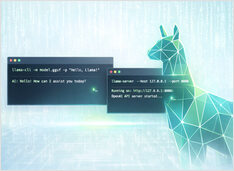
llama.cpp Quickstart with CLI and Server

llama.cpp Quickstart with CLI and Server

How to Install, Configure, and Use the OpenCode

I keep coming back to llama.cpp for local inference—it gives you control that Ollama and others abstract away, and it just works. Easy to run GGUF models interactively with llama-cli or expose an OpenAI-compatible HTTP API with llama-server.

Ollama vs vLLM vs LM Studio: Best Way to Run LLMs Locally in 2026?

Ollama vs vLLM vs LM Studio: Best Way to Run LLMs Locally in 2026?

Compare the best local LLM hosting tools in 2026. API maturity, hardware support, tool calling, and real-world use cases.

Running LLMs locally is now practical for developers, startups, and even enterprise teams.
But choosing the right tool — Ollama, vLLM, LM Studio, LocalAI or others — depends on your goals:

Ollama Enshittification - the Early Signs

Ollama Enshittification - the Early Signs

My view on current state of Ollama development

Ollama has quickly become one of the most popular tools for running LLMs locally. Its simple CLI, and streamlined model management have made it a go-to option for developers who want to work with AI models outside the cloud.

Chat UIs for Local Ollama Instances

Chat UIs for Local Ollama Instances

Quick overview of most prominent UIs for Ollama in 2025

Locally hosted Ollama allows to run large language models on your own machine, but using it via command-line isn’t user-friendly. Here are several open-source projects provide ChatGPT-style interfaces that connect to a local Ollama.