
Llama-Server Router Mode - Dynamic Model Switching Without Restarts
Serve and swap LLMs without restarts.
For a long time, llama.cpp had a glaring limitation:
you could only serve one model per process, and switching meant a restart.
That era is over.
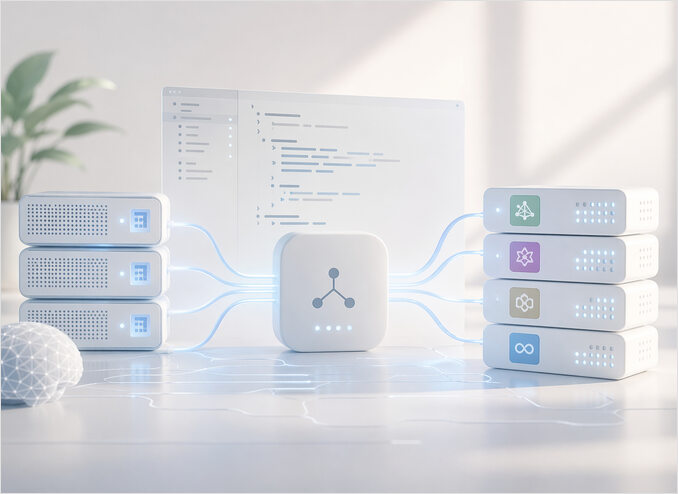
Recent updates introduced router mode in llama-server, bringing something much closer to what people expect from modern local LLM runtimes:
- dynamic model loading
- unloading on demand
- switching per request
- no process restart
In other words: Ollama-like behavior, but without the training wheels.
If you are still deciding between local runtimes, cloud APIs, and self-hosted infrastructure, the LLM hosting overview is a good starting point.
Prerequisites
Router mode requires a recent llama-server build — roughly post mid-2024. Older builds do not have the --models-preset or --models-dir flags.
For install options (package manager, pre-built binaries, or full source build with CUDA), see the llama.cpp quickstart.
Once you have llama-server, confirm your build supports router mode:
llama-server --help | grep -i models
If --models-preset or --models-dir appears, you are good. If they are absent, update to a newer build.
My current output of models-related help:
-cl,   --cache-list                     show list of models in cache
                                        Prefix/Suffix/Middle) as some models prefer this. (default: disabled)
                                        models with dynamic resolution (default: read from model)
                                        models with dynamic resolution (default: read from model)
                                        embedding models (default: disabled)
--models-dir PATH                       directory containing models for the router server (default: disabled)
                                        (env: LLAMA_ARG_MODELS_DIR)
--models-preset PATH                    path to INI file containing model presets for the router server
                                        (env: LLAMA_ARG_MODELS_PRESET)
--models-max N                          for router server, maximum number of models to load simultaneously
                                        (env: LLAMA_ARG_MODELS_MAX)
--models-autoload, --no-models-autoload
                                        for router server, whether to automatically load models (default:
                                        (env: LLAMA_ARG_MODELS_AUTOLOAD)
What router mode actually does
Router mode turns llama-server into a model dispatcher.
Instead of binding to a single model via -m, the server:
- starts with no model loaded
- receives a request that names a model
- loads that model if it is not already in memory
- runs inference
- optionally unloads the model after the response, or keeps it warm for the next request
The key idea
You are no longer running:
./llama-server -m model.gguf
You are running:
./llama-server --models-preset models.ini --port 8080
And letting the server decide what to load and when, based on what the client actually requests.
This matters because it means one persistent process can serve an entire fleet of models, with clients selecting the right one per task — a coding model, a chat model, a summarisation model — without any coordination overhead on your side.
Configuration: defining your models
This is where things are still a bit raw.
There is no fully stable official format yet, but current builds support INI-style model definitions via a config file.
Example models.ini
[llama3]
model = /opt/models/llama-3-8b-instruct.Q5_K_M.gguf
ctx-size = 8192
ngl = 35
threads = 8

[mistral]
model = /opt/models/mistral-7b-instruct-v0.3.Q4_K_M.gguf
ctx-size = 4096
ngl = 20
threads = 8

[qwen]
model = /opt/models/qwen2.5-coder-7b-instruct.Q5_K_M.gguf
ctx-size = 16384
ngl = 35
threads = 8
Each section name becomes the model identifier that clients use in the "model" field of their API requests.
Key config parameters
| Parameter | What it controls |
|---|---|
model |
Absolute path to the GGUF file |
ctx-size |
Context window size in tokens. Larger values use more VRAM. |
ngl |
Number of GPU layers offloaded. Set to 0 for CPU-only; increase until you hit VRAM limits. |
threads |
CPU threads for the layers that remain on CPU. |
Choosing the right ngl value depends on your GPU’s available VRAM — for GPU selection and hardware economics, the compute hardware guide is a useful reference. To watch live VRAM consumption while dialing it in, see the GPU monitoring tools for Linux.
Starting the server with config
./llama-server --models-preset /opt/llama.cpp/models.ini --port 8080
Confirm the server started correctly:
curl http://localhost:8080/v1/models | jq '.data[].id'
You should see each section name from your models.ini listed as a model ID.
A note on stability
The INI config interface is still evolving:
- flags may change between commits
- some parameters are only recognised by specific build configurations
- documentation lags behind implementation
Pin to a specific llama.cpp commit if you need reproducibility across restarts.
API usage: switching models on request
Once the server is running, model switching happens through the standard OpenAI-compatible API. You simply set the "model" field.
List registered models
curl http://localhost:8080/v1/models
Completion request — first model
curl http://localhost:8080/v1/chat/completions \
  -H "Content-Type: application/json" \
  -d '{
    "model": "llama3",
    "messages": [
      {"role": "user", "content": "Explain router mode in one paragraph"}
    ]
  }'
Switch to a different model — same endpoint, same port
curl http://localhost:8080/v1/chat/completions \
  -H "Content-Type: application/json" \
  -d '{
    "model": "qwen",
    "messages": [
      {"role": "user", "content": "Write a Python function that reads a CSV file"}
    ]
  }'
The server handles the unload/load cycle transparently. Your client code does not change — only the model field.
Python example
If you are using openai Python client:
from openai import OpenAI

client = OpenAI(base_url="http://localhost:8080/v1", api_key="not-needed")

# Use the coding model
response = client.chat.completions.create(
    model="qwen",
    messages=[{"role": "user", "content": "Write a Go HTTP handler"}],
)
print(response.choices[0].message.content)

# Switch to the chat model — same client, different model name
response = client.chat.completions.create(
    model="llama3",
    messages=[{"role": "user", "content": "What is the capital of Australia?"}],
)
print(response.choices[0].message.content)
What happens internally
When a request arrives for qwen and llama3 is currently loaded:
llama3is unloaded from VRAMqwenweights are read from disk and loaded into VRAM- inference runs
- the next request determines whether to keep
qwenloaded or swap again
This directly answers the common question:
How can a local LLM server switch models without restarting
By dynamically loading models per request, not binding at startup.
Systemd service: production-ready setup
Create a dedicated user and directories
sudo useradd --system --shell /usr/sbin/nologin --home-dir /opt/llama.cpp llm
sudo mkdir -p /opt/llama.cpp/models
sudo chown -R llm:llm /opt/llama.cpp
Copy your binary and model config into place:
sudo cp build/bin/llama-server /opt/llama.cpp/
sudo cp models.ini /opt/llama.cpp/
/etc/systemd/system/llama-server.service
[Unit]
Description=Llama.cpp Router Server
After=network.target

[Service]
Type=simple
User=llm
WorkingDirectory=/opt/llama.cpp
ExecStart=/opt/llama.cpp/llama-server --models-preset /opt/llama.cpp/models.ini --port 8080
Restart=always
RestartSec=5

Environment=LLAMA_LOG_LEVEL=info

[Install]
WantedBy=multi-user.target
Enable and start
sudo systemctl daemon-reload
sudo systemctl enable llama-server
sudo systemctl start llama-server
Verify and inspect logs
sudo systemctl status llama-server
journalctl -u llama-server -f
On a successful start you will see lines indicating the server is listening and the model registry has been loaded. A quick sanity check:
curl -s http://localhost:8080/v1/models | jq '.data[].id'
Now you have a persistent service with auto-restart and centralised model switching — no manual process management required. If you want to apply the same pattern to other binaries, hosting any executable as a Linux service walks through the general approach.
The llama-server --metrics flag exposes a Prometheus-compatible endpoint. For llama.cpp-specific dashboards, PromQL queries, and alerting rules, see the LLM inference monitoring guide. For the broader observability setup, the observability guide covers the full stack.
Limitations you need to understand
Router mode is genuinely useful, but it comes with tradeoffs you should be clear about before relying on it in production.
Only one model in memory at a time
Even though multiple models are defined in models.ini, only one is resident in VRAM per worker at any given moment. Switching means a full unload-and-reload cycle.
- switching means reload
- latency spike is unavoidable
- on a typical 7B model at Q5, a reload can take 3–10 seconds depending on disk speed and VRAM bandwidth
This answers another key question:
Does llama.cpp support serving multiple models at once
Not really. It supports multiple definitions, not simultaneous residency. If you need two models genuinely loaded in parallel, you need two processes on two separate GPUs.
For measured VRAM consumption and tokens-per-second across model sizes, the LLM performance benchmarks cover the full picture. For numbers specific to llama.cpp on a 16 GB GPU — dense and MoE models at multiple context sizes — see the 16 GB VRAM llama.cpp benchmarks.
No smart caching
Unlike Ollama, which maintains a warm pool and evicts models based on recency:
- there is no automatic model eviction strategy
- no background pre-warming
- no priority queue for frequently used models
If you send alternating requests for llama3 and mistral, every single request triggers a reload. This is the fundamental cost of being closer to the metal.
Latency is unpredictable for mixed workloads
A well-behaved workload that uses one model consistently will be fast. A workload that interleaves multiple models will be slow. Plan your client routing logic accordingly — group requests by model where possible.
Config is not stable
The INI support exists and works in most recent builds, but it is not fully standardised. Flags and parameter names have changed across versions. If you upgrade llama-server, test your models.ini against the new build before deploying.
Llama.cpp vs Ollama
Router mode narrows the old lifecycle gap with Ollama — dynamic loading and per-request switching now exist natively in llama-server — but it does not close it. Memory management stays basic (no eviction policy, no warm pool), config stability is still experimental, and switching between two different models always pays a full unload-and-reload rather than Ollama’s TTL-based keep-alive. In short: router mode gives you maximum control and a hackable base; Ollama gives you a more polished, opinionated experience with less to configure.
For the full pairwise breakdown — installation, model management, GPU placement, KV cache control, APIs, performance, failure modes, and concrete triggers for choosing one or migrating between them — see llama.cpp vs Ollama in 2026, which is the canonical comparison between the two runtimes on this site.
If you go with Ollama, the Ollama CLI cheatsheet covers day-to-day commands. For a broader comparison that also includes vLLM, LM Studio, and LocalAI, see how different local runtimes compare in 2026.
Llama.cpp vs llama-swap
llama-swap is an external orchestrator that sits in front of one or more llama-server instances:
- it intercepts requests and inspects the
modelfield - it starts the appropriate
llama-serverprocess for that model - it shuts down idle instances after a configurable timeout
- it proxies the request through once the model is ready
For a hands-on setup, see the llama-swap quickstart.
Key difference
| Aspect | router mode | llama-swap |
|---|---|---|
| Built-in | Yes | No (separate binary) |
| Maturity | Experimental | More stable |
| Flexibility | Limited | High |
| Control layer | Internal | External proxy |
| Per-model config | INI file | YAML file |
| Process model | Single process | One process per model |
When to use llama-swap
llama-swap gives you process-level isolation per model, which means a crash in one model instance does not affect others. It also lets each model run with completely independent llama-server flags.
Use it if you need:
- better lifecycle control and isolation
- smarter switching logic with configurable idle timeouts
- more predictable latency (each model has a warm process after first load)
- production stability today, not eventually
When native router mode is enough
Use the built-in router if you want:
- zero external dependencies
- a single process to manage
- simpler deployment (one binary, one config file)
- minimal stack for dev or single-user setups
Final thoughts
Router mode is a meaningful step forward for llama-server.
It answers the long-standing demand:
What is router mode in llama.cpp server
It is the missing layer that turns a static binary into a dynamic inference service — one process that can field requests for a whole catalogue of models.
But it is not finished.
Today it is:
- powerful enough for real workloads
- promising as a foundation for more sophisticated routing
- slightly rough around the config and stability edges
If your workload is predictable and you can group requests by model, router mode works well today. If you need production-grade reliability and per-model isolation, reach for llama-swap while the native implementation matures.
When you need to free VRAM without restarting — for a benchmark run, a maintenance window, or a clean development reset — the scriptable approach is to list loaded models and call the unload endpoint for each one. The full curl-and-jq pattern is covered in Unload All llama.cpp Router Models Without Restarting.
Either way, you get Ollama-like behavior, without hiding the machinery.
