How to Migrate from OpenClaw to Hermes Agent Safely
A safe cutover beyond the one-line import
Migrating an AI assistant is not the same as copying an application config. The hard part is preserving identity, memory, tool behavior, scheduled work, and messaging access without two gateways acting as the same bot.
Hermes Agent now includes hermes claw migrate, a real migration planner rather than a cosmetic import command. It can map more than 30 categories from OpenClaw, detect conflicts, create a Hermes restore point, and archive incompatible state for manual review. That makes the move practical, but it does not make the move automatic.
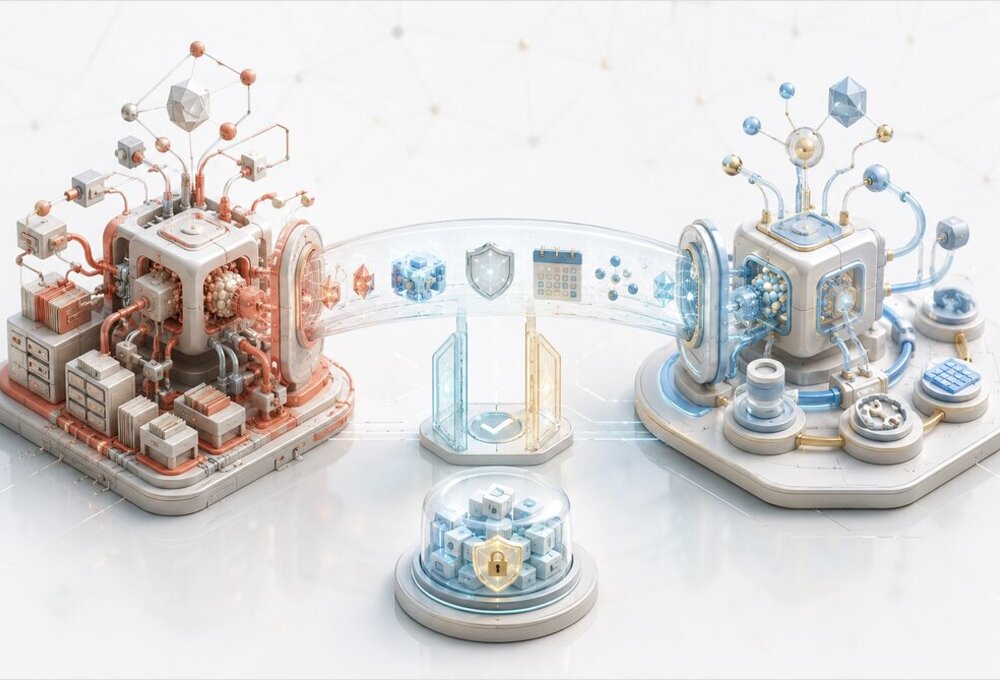
The approach below is a staged cutover: back up OpenClaw, dry-run the full migration, import without secrets, validate Hermes from the terminal, and transfer messaging credentials only after the new agent behaves correctly. Do not begin with --overwrite --migrate-secrets --yes; those flags are useful for automation after a rehearsed migration, not for discovering what your assistant actually depends on.
The OpenClaw to Hermes migration runbook
| Phase | Command or action | Exit condition |
|---|---|---|
| Inventory | Record versions, workspaces, plugins, channels, cron jobs, and providers | Every non-file dependency has an owner |
| Backup | openclaw backup create --verify |
A verified archive exists outside OpenClaw state |
| Preview | hermes claw migrate --dry-run --preset full |
No unexplained conflicts or skipped critical data |
| Import | Run the full preset without secrets | Hermes config, persona, memory, skills, and MCP entries exist |
| Local test | Run Hermes in the terminal | Model, tools, memory, approvals, and workspace pass tests |
| Channel cutover | Stop OpenClaw, migrate or set secrets, start Hermes gateway | Only Hermes owns each bot token or account |
| Soak | Keep OpenClaw stopped but recoverable | Scheduled and inbound work behaves correctly |
| Cleanup | Archive old OpenClaw state only after acceptance | Rollback window is closed intentionally |
The command is short because the judgment has moved into the preview and verification stages. Treat the generated migration report as a change plan, not as reassuring console output.
What hermes claw migrate actually reads
The migrator reads ~/.openclaw/ by default. It also detects the older ~/.clawdbot/ and ~/.moltbot/ directories, along with legacy config filenames, so an older installation does not need to be renamed before migration.
OpenClaw has used several workspace layouts. Hermes checks workspace/, workspace.default/, and workspace-main/, and it recognizes per-agent directories such as workspace-<agentId>. If you use custom agent roots or multiple profiles, verify every resolved path in the preview rather than assuming the default workspace represents the whole system.
The destination is normally ~/.hermes/. A pre-existing Hermes installation is not treated as an empty bucket: the planner reports conflicts and refuses to apply by default when it cannot preserve both sides safely.
What migrates and what does not
The useful distinction is not “supported” versus “unsupported.” Some OpenClaw state maps directly, some must be transformed, and some can only be archived because the two agents use different execution models.
Direct or transformed migration
| OpenClaw source | Hermes destination | Migration behavior |
|---|---|---|
workspace/SOUL.md |
~/.hermes/SOUL.md |
Direct persona copy |
workspace/MEMORY.md |
~/.hermes/memories/MEMORY.md |
Parsed, merged, and deduplicated |
workspace/USER.md |
~/.hermes/memories/USER.md |
Parsed, merged, and deduplicated |
workspace/memory/*.md |
Main Hermes memory | Daily files are merged into entries |
workspace/AGENTS.md |
Chosen project directory | Requires --workspace-target |
| OpenClaw skill directories | ~/.hermes/skills/openclaw-imports/ |
Copied with an explicit conflict policy |
agents.defaults.model |
Hermes model configuration | Primary and fallback forms are interpreted |
models.providers.* |
Hermes provider configuration | Base URL and API type are mapped |
mcp.servers.* |
mcp_servers.* |
Stdio and HTTP/SSE definitions are mapped |
| Channel tokens and allowlists | Hermes .env |
Only with --migrate-secrets |
| Session reset policy | session_reset |
Daily and idle modes are translated |
| Exec approvals | Hermes approvals and command allowlist | Modes and patterns are transformed |
| Browser, TTS, sandbox, and timeout settings | Related Hermes config | Supported fields are mapped |
Memory is not copied as one opaque document. The migrator parses OpenClaw memory and user-profile files, merges them with existing Hermes entries, and deduplicates them. This is safer than replacing an established Hermes memory file, but it also means you should compare meaning and structure, not only file sizes.
Archived for manual reconstruction
| OpenClaw feature | Why it is not directly portable | Hermes direction |
|---|---|---|
| Cron jobs | Schedulers and delivery models differ | Recreate with hermes cron create |
| Plugins | Plugin APIs are product-specific | Replace with a Hermes plugin, skill, MCP server, or built-in tool |
| Hooks and webhooks | Event and permission contracts differ | Recreate with Hermes webhooks or gateway hooks |
| Advanced memory backend | Databases and recall semantics differ | Configure a Hermes memory provider separately |
| Skills registry settings | Registry implementation differs | Configure with hermes skills config |
| Multi-agent list and bindings | Routing and profile models differ | Rebuild with Hermes profiles and gateway configuration |
IDENTITY.md |
Hermes uses a different identity split | Merge relevant identity into SOUL.md |
HEARTBEAT.md |
No direct file-driven heartbeat equivalent | Express periodic work as cron jobs |
TOOLS.md |
Hermes supplies its own tool instructions | Move only genuine workflow rules into a skill or context file |
BOOTSTRAP.md |
Bootstrap semantics differ | Use context files, setup, or a skill |
These items are saved below ~/.hermes/migration/openclaw/<timestamp>/archive/. A successful migration with a non-empty archive is therefore not finished; the archive is the remaining work queue.
Step 1: Inventory the live OpenClaw system
Before installing anything, write down which behaviors are actually in use. Config files alone may not reveal a plugin’s external database, a manually supervised gateway, a custom agent directory, a local model process, or the account that owns a webhook endpoint.
At minimum, record:
- OpenClaw and Hermes versions.
- The active OpenClaw state directory and config path.
- All agent and workspace directories.
- Model providers, fallback models, and local endpoints.
- Installed and enabled plugins, including their persistent data.
- Skills from workspace, managed, personal, and project directories.
- MCP servers, environment variables, working directories, and credentials.
- Telegram, Discord, Slack, WhatsApp, Signal, Matrix, and Mattermost accounts.
- Cron jobs, hooks, webhooks, heartbeat behavior, and external supervisors.
- Approval rules, command allowlists, sandbox backend, and browser access.
This inventory becomes the acceptance checklist later. Without it, a migrated assistant can look healthy because it answers messages while silently missing the weekly backup, a memory provider, or a restrictive approval rule.
Step 2: Create a verified OpenClaw backup
OpenClaw 2.0 includes a backup command that understands its current SQLite state, configured agent roots, credentials, plugins, and workspaces. Use it instead of copying live database files and hoping their WAL sidecars were captured consistently.
mkdir -p ~/Backups
openclaw gateway stop
openclaw backup create --output ~/Backups --verify
Keep the resulting archive outside ~/.openclaw/. The --verify option validates the archive immediately, including path safety and supported SQLite integrity checks. OpenClaw-owned databases are captured through SQLite’s online backup API, owner-verified, and compacted, rather than copied as raw files. If your workspaces are large, you can use --no-include-workspace, but then back up those repositories and non-Git files separately; agent directories stay included either way.
The pre-2.0 transcript trap
OpenClaw 2.0 moved sessions and transcripts out of sessions.json and JSONL files into SQLite, by default at ~/.openclaw/agents/<agent>/agent/openclaw-agent.sqlite. That matters here for one non-obvious reason: the portable backup create archive omits legacy JSONL transcripts and logs even when they are no longer being written.
So if your OpenClaw install predates 2.0 and you care about the old conversation history, a verified archive alone does not protect it. Stop the gateway and take a filesystem, volume, or VM snapshot before you migrate, or use OpenClaw’s per-database snapshot commands for the databases you want a compact, independently verifiable copy of:
openclaw backup sqlite create --global --repository ~/Backups/openclaw-sqlite
openclaw backup sqlite create --agent main --repository ~/Backups/openclaw-sqlite
openclaw backup sqlite list --repository ~/Backups/openclaw-sqlite
openclaw backup sqlite verify ~/Backups/openclaw-sqlite/<snapshot-id>
Treat those snapshot repositories with the same permissions and retention policy as live state — they can contain auth profiles, session state, and plugin data. For a continuously replicated setup rather than periodic archives, OpenClaw documents Litestream against the same databases; that is a better answer than hand-rolled cp jobs if the migration is going to take days.
Also create a Hermes backup if Hermes already contains useful state:
hermes backup
The migration normally creates its own pre-migration Hermes archive under ~/.hermes/backups/. Do not pass --no-backup during the first cutover; saving a few seconds is not worth removing the simplest rollback path.
Step 3: Install and test an empty Hermes Agent
Install Hermes, select a model, and prove that the basic terminal agent works before importing OpenClaw state. This separates installation and provider failures from migration failures. The Hermes AI Assistant guide covers provider selection and gateway configuration in depth; for the migration you only need a working terminal baseline.
curl -fsSL https://hermes-agent.nousresearch.com/install.sh | bash
source ~/.bashrc
hermes setup
hermes status
hermes doctor
If you already installed Hermes, update it before relying on current migration behavior:
hermes update
hermes --version
That version check is not a formality. The claw migrate safety posture changed materially during 2026: current builds refuse to apply a conflicted plan, write a pre-migration restore point by default, redact secrets in the reports they save to disk, and require --migrate-secrets explicitly even under --preset full. Older builds did none of those things — notably, --preset full used to pull in API keys silently, and a conflicted plan would report “migrated 0” after you had already confirmed. If you are following an older tutorial, the flags may look identical while the behavior differs in exactly the places that matter.
Do not configure the old bot tokens yet. Terminal-only validation allows OpenClaw to remain live while you prepare Hermes, and it avoids two gateway processes competing for the same messaging identity.
Step 4: Run the dry-run before choosing flags
Start with the full preset because it reveals the largest possible mapping surface, but keep secrets excluded:
hermes claw migrate --dry-run --preset full
The migration always presents a preview before applying, even without --dry-run. The explicit flag is still valuable because it makes your intent unambiguous and gives you time to inspect source paths, destinations, transforms, conflicts, skipped items, archives, and secret warnings without an impatient confirmation prompt. The complete flag set for claw migrate and its neighbours is summarised in the Hermes Agent CLI cheat sheet.
Use a custom source when OpenClaw state is not in the default location:
hermes claw migrate \
  --dry-run \
  --preset full \
  --source /srv/openclaw-state
If AGENTS.md should apply to a particular repository, say so explicitly:
hermes claw migrate \
  --dry-run \
  --preset full \
  --workspace-target /srv/projects/my-project
Without --workspace-target, workspace instructions are not placed into an arbitrary current directory. That is the correct behavior: an instruction file belongs to a scope, and guessing its scope can change every Hermes session launched below the wrong directory.
Full or user-data preset?
The full preset includes compatible infrastructure and behavior settings. The user-data preset focuses on persona, memories, skills, and related user content while excluding infrastructure configuration.
Use user-data when Hermes already has a carefully built provider, gateway, security, or sandbox configuration. Use full when Hermes is new and OpenClaw is the authoritative setup, but still inspect every transformed behavior setting. Neither preset imports secrets unless --migrate-secrets is added.
Step 5: Resolve conflicts without destroying provenance
The default conflict behavior is conservative: the migration refuses to apply a plan with unresolved file conflicts unless --overwrite is set. That is preferable to an apparently successful cutover that overwrites a newer Hermes persona or skill — and preferable to the older behavior, where confirming a conflicted plan produced a “migrated 0” result that looked like a no-op but was really a silent skip.
Skill conflicts are handled separately, and the default there is skip, which quietly keeps the existing Hermes version and discards the incoming one. For a first migration I recommend rename instead:
hermes claw migrate \
  --preset full \
  --workspace-target /srv/projects/my-project \
  --skill-conflict rename
Imported skills are placed under ~/.hermes/skills/openclaw-imports/. With rename, a name collision produces an imported sibling rather than hiding either version. Review the two implementations, test the chosen one, and remove the redundant copy later.
Use --overwrite only after reviewing the preview or when rebuilding a disposable Hermes profile. It applies more broadly than skill conflict handling and can replace existing Hermes files. The presence of a backup makes overwriting recoverable, not desirable.
Step 6: Migrate configuration and user data without secrets
Apply the reviewed plan and leave credentials for the cutover stage:
hermes claw migrate \
  --preset full \
  --workspace-target /srv/projects/my-project \
  --skill-conflict rename
After completion, save the printed counts for migrated, skipped, conflicting, and archived items. Open the timestamped migration directory and read its summary before starting a new Hermes session. Current builds redact detected secret values in the report.json and summary.md they write, so those files are safe to keep alongside your change notes — but confirm that on your version rather than assuming it, because earlier builds wrote raw API keys into the same reports.
New sessions matter. Imported skills and memory entries are loaded when a session begins, so testing inside a session that predates the migration can produce a false “skill not found” or stale-memory result.
Step 7: Validate behavior before channel cutover
Run the post-migration checks from the terminal:
hermes status
hermes doctor
hermes config show
hermes gateway status
If memory recall looks incomplete, rebuild the index before concluding the import failed:
hermes memory reindex
Then start a new Hermes conversation and test observable behaviors, not just file presence. Ask for a known user preference from memory, invoke one imported skill, call an MCP tool, run a harmless terminal command that should be allowed, and try one that should require approval.
A useful acceptance matrix looks like this:
| Area | Test | Failure usually means |
|---|---|---|
| Persona | Ask a question where tone and boundaries are obvious | SOUL.md was not found, was overwritten, or needs identity content merged |
| User memory | Ask for a known stable preference | Memory entries were not imported, deduplicated unexpectedly, not reindexed, or not loaded in a new session |
| Skill | Invoke a distinctive imported workflow | Name conflict, invalid metadata, missing dependency, or stale session |
| Provider | Run a normal and long response | Wrong model mapping, missing credential, or incompatible API type |
| MCP | Call one read-only tool from each server | Missing environment, wrong cwd, transport mismatch, or tool filter issue |
| Terminal | Test allowed and approval-required commands | Approval mode or allowlist mapping changed policy |
| Browser | Open a harmless test page | CDP URL, browser backend, or sandbox access differs |
| Compression | Run a long disposable session | Summary model or compaction behavior was not mapped as intended |
| Session reset | Inspect config and test on a disposable profile | Daily/idle interpretation differs from OpenClaw rules |
The migration maps timeoutSeconds to an estimated maximum-turn value, translates reasoning levels, and converts approval modes. Those are semantic mappings rather than byte-for-byte copies. Check that the resulting behavior matches your intent, especially for long autonomous tasks and command execution.
Step 8: Handle secrets as a separate security change
--migrate-secrets can collect allowlisted keys from OpenClaw config values, ~/.openclaw/.env, config environment objects, and per-agent auth profiles (~/.openclaw/agents/<agent>/agent/auth-profiles.json). It understands plain strings, environment templates, and environment-backed SecretRef objects.
It intentionally does not copy arbitrary secret names. File-backed and command-backed SecretRefs cannot be resolved automatically, and values outside the supported allowlist remain for manual setup. Treat every warning here as a control working as designed, not as a reason to paste the entire OpenClaw environment into Hermes.
For a first migration, I prefer to configure provider credentials through Hermes after the data import. If you do use automated secret migration, preview it and run it only when you are ready to transfer channel ownership:
hermes claw migrate \
  --dry-run \
  --preset full \
  --migrate-secrets
Then verify presence without printing values:
hermes status
hermes auth status
Rotate credentials if they were exposed in shell history, pasted into migration notes, or stored with weaker permissions than intended. Migration preserves access; it does not prove that the old secret-handling practice was safe.
Step 9: Perform a controlled messaging cutover
There is no honest zero-downtime handoff when two processes would poll, subscribe, or respond as the same bot account. The safe pattern is prepare in parallel, stop OpenClaw, start Hermes, test each platform, and keep the rollback commands ready.
First stop the OpenClaw gateway and confirm it is stopped:
openclaw gateway stop
openclaw gateway status
Now migrate or manually set the messaging secrets, configure the Hermes gateway, and start it:
hermes gateway setup
hermes gateway install
hermes gateway start
hermes gateway status
Send a direct message from an allowed user on each platform. Test inbound text, a reply, an attachment if used, a slash command, a long-running task, interruption, and an outbound scheduled or manual send. A green service status proves that a process is running; it does not prove that allowlists, thread routing, delivery, and formatting survived the move.
WhatsApp requires re-pairing because the migration does not transfer the Baileys session as a reusable token. Run hermes whatsapp and complete the QR flow. Other channels may reuse tokens, but account layouts and multi-account bindings still deserve explicit testing.
Skills, plugins, and MCP servers are not interchangeable
OpenClaw skills from four locations can be imported, but an imported directory is only useful if its assumptions remain true. Check command names, filesystem paths, environment variables, platform-specific tools, and references to OpenClaw-only APIs. The OpenClaw skills guide explains the source formats; the Hermes skill authoring guide covers the destination behavior.
OpenClaw plugins do not become Hermes plugins. Reconstruct the capability at the narrowest suitable layer:
- Use a Hermes skill for procedure, tool selection, and reusable instructions.
- Use an MCP server for live data or an external service boundary.
- Use a built-in Hermes tool when it already provides the capability.
- Use a Hermes plugin only when code must participate in the agent runtime itself.
This is a good moment to remove architectural sediment. A plugin installed to compensate for an old OpenClaw limitation may have no reason to survive in Hermes, while a plugin holding a durable database needs a deliberate export or replacement plan.
MCP definitions migrate more directly, including commands, arguments, environments, working directories, URLs, and include/exclude tool filters. Still test every server separately: a correct YAML mapping cannot install a missing executable, renew OAuth, or make a path from the old host exist on the new one.
Memory needs a quality check, not a line-count check
Hermes imports MEMORY.md, USER.md, and daily memory files into its memory structure. That preserves useful facts, but OpenClaw memory plugins, long-context databases, embedding indexes, and recall policies are archived rather than translated into an equivalent cognitive system.
Review imported memory in three passes:
- Identity and stable preferences: preserve concise facts that should influence many sessions.
- Operational knowledge: move repeatable procedures into skills or project context instead of global memory.
- Historical residue: archive completed incidents, stale plans, and self-referential agent commentary rather than injecting it forever.
Do not import every transcript as durable memory. More remembered text can make an agent less coherent by repeatedly retrieving obsolete constraints and its own earlier guesses. The Hermes memory system guide explains where the imported entries will live, and the agent memory provider comparison is the better place to choose a new long-term backend.
Recreate cron jobs, heartbeats, hooks, and multi-agent routing
Cron jobs are archived because scheduled execution is not just a cron expression. A job also has a prompt or command, working directory, model, timeout, delivery destination, permissions, retry behavior, and expectations about session state.
For every archived OpenClaw job, write down those fields and recreate it with Hermes:
hermes cron create
hermes cron list
Run each job once manually before enabling its schedule. Verify both the work and the delivery path, especially when the old job posted to a Telegram chat, Slack channel, or Discord thread.
Translate HEARTBEAT.md into explicit scheduled jobs only when periodic execution is truly required. A vague heartbeat that asks the agent to inspect everything every few minutes is expensive and difficult to verify; separate named jobs with observable outcomes are easier to operate.
Multi-agent definitions and channel bindings also require manual design. Hermes profiles provide isolated state and gateways, but they are not a syntactic rewrite of OpenClaw’s agent list. Map each agent by responsibility, workspace, credentials, channel, and security boundary rather than reproducing names first; the profile-first reasoning behind that mapping is worked through in the Hermes production setup guide.
Troubleshooting the failures that matter
“OpenClaw directory not found”
The command searches the current OpenClaw, Clawdbot, and Moltbot default directories. If your state lives elsewhere, point to the directory that contains the OpenClaw config and related state:
hermes claw migrate --dry-run --source /path/to/openclaw
Do not point --source at only the workspace unless that is genuinely the complete source tree. The preview should show config, workspace, and recognized categories.
The migration refuses because of conflicts
This is the safe default, not a crash. Back up Hermes, identify which side is authoritative for each conflict, use --skill-conflict rename for skills, and reserve --overwrite for a reviewed plan.
If the existing Hermes configuration is valuable, consider the user-data preset. It imports the assistant’s user-owned content without trying to replace established infrastructure.
Imported skills do not appear
Start a new session and inspect the imported directory below ~/.hermes/skills/openclaw-imports/. Use /skills inside Hermes to confirm discovery. If the skill exists but cannot run, inspect its dependency and tool assumptions rather than repeating the migration.
Provider keys were not found
The key may be stored in an OpenClaw environment file, config environment object, auth profile, file-backed SecretRef, command-backed SecretRef, or unsupported variable name. The migrator resolves the supported forms and warns about the rest. Add unresolved values through Hermes configuration or authentication commands instead of converting secure references into plaintext merely to satisfy the importer.
The bot is running but messages are missing or duplicated
Confirm that the OpenClaw gateway is stopped and that only one Hermes profile owns the token. Then inspect hermes gateway status and gateway logs, followed by channel allowlists and account selection. Duplicate consumers and incorrect allowlists are more common than a broken language model.
The personality is present but recall is poor
SOUL.md and memory are different layers. Confirm that the persona copied to ~/.hermes/SOUL.md, memory entries reached ~/.hermes/memories/, and the test uses a new session. Run hermes memory reindex before deeper debugging. If OpenClaw depended on an external memory plugin, configure a Hermes memory provider rather than expecting Markdown import to recreate its retrieval behavior.
Roll back Hermes
Stop the Hermes gateway before restoring the pre-migration Hermes backup:
hermes gateway stop
hermes import ~/.hermes/backups/pre-migration-<timestamp>.zip
hermes import overwrites files in Hermes home with the archive contents, so inspect the exact filename and understand that post-migration Hermes sessions may be replaced. Then keep Hermes stopped, restart OpenClaw, and verify its gateway and channel health.
Manual migration when the command cannot model your setup
A manual fallback is slower but sometimes clearer for heavily customized installations. Build a clean Hermes profile and migrate by responsibility:
- Copy or rewrite persona content into
~/.hermes/SOUL.md. - Curate stable user facts into Hermes
MEMORY.mdandUSER.mdrather than copying all history. - Place project instructions in the correct repository-level
AGENTS.md. - Copy compatible skills into a named import directory and test them individually.
- Translate provider and MCP definitions into
~/.hermes/config.yamlwithout printing secrets. - Configure credentials through Hermes auth or secret management.
- Recreate approvals, sandboxing, browser access, cron jobs, webhooks, and channels.
- Replace each OpenClaw plugin with an explicit Hermes capability or retire it.
The manual route is especially appropriate when the source contains several OpenClaw agents with different workspaces, memory plugins, and channel bindings. An automatic union can preserve files while erasing the isolation that made the setup safe.
Do not clean up OpenClaw immediately
After Hermes has passed local and messaging tests, keep OpenClaw installed but stopped for a soak period. Preserve the verified OpenClaw backup, migration archive, pre-migration Hermes backup, and a copy of the acceptance checklist.
Hermes documents hermes claw cleanup for renaming leftover OpenClaw directories to .pre-migration/, and hermes claw cleanup --dry-run to preview what would be archived. Use it only after the OpenClaw gateway is stopped, the current Hermes version includes process guards, and you have decided not to roll back. Older 2026 builds had a reported cleanup path that could move state while an OpenClaw gateway was still running; current code marks the guard as implemented, but a verified backup and stopped source service remain the sensible boundary.
Cleanup is not required to prove that Hermes works. It exists to reduce future state confusion, so postponing it during a rollback window is good operations, not untidiness.
When to stay on OpenClaw 2.0
OpenClaw 2.0 is not an abandoned baseline. The v2026.8.1 release landed over 16,000 pull requests from more than 900 contributors — roughly half of the project’s total merge history — and substantially changed onboarding, the web Control UI, session storage, backups, channels, memory, plugins, automations, browser and computer use, security, and service reliability. If those platform features are central to your deployment, migration may remove more working capability than it simplifies.
Stay on OpenClaw when you depend on:
- Its rebuilt Control UI, with docked file editor, git-backed Changes panel, browser panel, and in-conversation approvals.
- Session presets, transcript search, groups, status views, and batch actions.
- A product-specific plugin with no Hermes equivalent.
- Complex multi-user, mobile, device, or channel routing already working in production.
- OpenClaw-specific browser, computer-use, or Gateway administration.
- A memory or session database that cannot be exported with acceptable loss.
- Operational controls your team already knows and monitors.
Move to Hermes when its simpler terminal-first workflow, profiles, learning-oriented skills, memory model, scheduled tasks, provider flexibility, or delegation model better matches what you actually operate. The OpenClaw and Hermes comparison discusses that decision with current numbers; this page is about executing the cutover once the decision is made.
Final migration checklist
- OpenClaw version and resolved paths recorded.
- Verified OpenClaw backup stored outside live state.
- Pre-2.0 JSONL transcripts snapshotted separately if they matter.
- Existing Hermes backup created.
- Hermes version checked against current
claw migratesafety behavior. - Full dry-run reviewed.
- Every conflict assigned a resolution.
- Archive contents added to the manual work list.
- Persona, user memory, and skills tested in a new session.
- Provider, fallback model, MCP, browser, and terminal tested.
- Approval and sandbox behavior tested, including a denied action.
- Cron jobs, plugins, hooks, memory backend, and multi-agent bindings rebuilt or retired.
- OpenClaw gateway stopped before channel credentials moved.
- Every messaging channel tested from an allowed account.
- WhatsApp re-paired if used.
- Rollback commands and archive names recorded.
- OpenClaw cleanup deferred until the soak period ends.
Final verdict
hermes claw migrate is good enough to make an OpenClaw-to-Hermes move routine, but only if “routine” means planned and reversible. Its strongest feature is not the number of files it copies; it is the preview that tells you which parts of the old assistant have a real Hermes equivalent and which parts still require engineering judgment.
Use the full preset to discover the scope, keep secrets out of the first pass, rename skill conflicts, test from the terminal, and transfer channel ownership as a separate event. Most importantly, preserve the old system until Hermes has completed real scheduled work and real conversations, not merely returned a successful status command.
References
- Hermes guide: Migrate from OpenClaw
- Hermes CLI command reference
- Hermes Agent repository and installation
- Hermes PR #16911: plan-first apply, redaction, and pre-migration backup
- OpenClaw configuration reference
- OpenClaw Gateway service commands
- OpenClaw backup and restore commands
- OpenClaw backups overview, SQLite snapshots, and Litestream
- OpenClaw 2.0 release notes
- Hermes cleanup process-guard issue and resolution
