
ROCm vs Vulkan for AMD Local LLM Hosting: 2026 Guide
Choose the right AMD backend per engine
ROCm and Vulkan both accelerate AMD GPUs for local LLM hosting, but they are not interchangeable. The right choice depends on the engine, GPU, and workload.
In local LLM hosting the two backends sit at different layers. ROCm is AMD’s compute platform under PyTorch, vLLM, and SGLang, while Vulkan is a portable GPU API that llama.cpp-class engines use to run quantized models across a wide range of hardware.
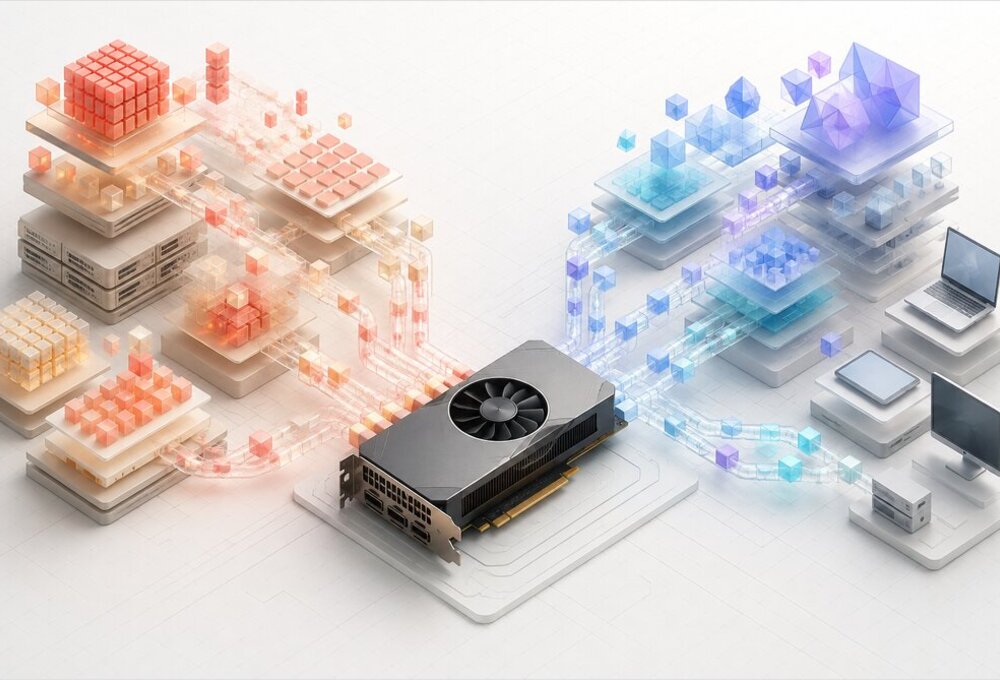
This guide compares the two engine by engine — llama.cpp, Ollama, LM Studio, vLLM, SGLang, TGI, and LocalAI — with build commands, device checks, and failure modes that masquerade as performance problems. If you are new to the hosting landscape, start with the LLM Hosting overview, which maps the tool families this article drills into.
ROCm vs Vulkan: the short answer
| Situation | Recommended starting point | Why |
|---|---|---|
| llama.cpp with GGUF on Linux | Vulkan | Small install surface, broad GPU coverage, and easy rollback |
| llama.cpp on a supported RDNA 3 or RDNA 4 GPU | Benchmark both | Kernel performance changes with model shape, quantization, context, and build |
| Ollama on a listed AMD GPU | ROCm first, verify Vulkan too | Ollama supports both, but backend choice is less explicit than in bare llama.cpp |
| LM Studio on a desktop AMD GPU | Vulkan first | Runtime switching makes comparison easy and avoids a system-wide compute stack |
| vLLM or SGLang | ROCm, but verify GPU-family kernel coverage | These are PyTorch/HIP stacks; Vulkan is not an alternative backend, and brand-new architectures can still lack optimized kernels |
| TGI on supported Instinct hardware | ROCm | The published AMD container path targets MI210, MI250, and MI300 families |
| Older or unlisted Radeon GPU | Vulkan | Vulkan drivers usually cover more graphics hardware than ROCm libraries do |
| AMD Instinct server | ROCm | Multi-GPU compute, RCCL, framework kernels, and operational tooling live here |
| Windows local GGUF serving | Vulkan | It is generally the least restrictive route for llama.cpp-class runtimes |
| Ryzen AI Max or other large-memory APU | Vulkan first, then ROCm if required | Both can work, but shared memory and kernel support need workload-specific testing |
This table is a starting policy, not a benchmark result. A backend that detects the GPU but leaves some operations on the CPU can look healthy while performing badly, so every final decision needs log inspection and an end-to-end prompt test.
What ROCm and Vulkan actually are
ROCm is a compute platform
ROCm includes the HIP runtime, compiler, math libraries, collective communication, profilers, and framework packages needed to run AMD compute workloads. It is the AMD-side foundation beneath PyTorch builds and engines such as vLLM and SGLang, and it can also accelerate llama.cpp through its HIP backend.
That breadth is ROCm’s advantage and its cost. The host driver, GPU target, user-space libraries, framework wheel, kernel version, and container image must form a compatible set; when they do, ROCm provides far more than token generation through one local executable.
ROCm 10.0.0, released on August 26, 2026, is built on TheRock (AMD’s build and release system since ROCm 7.14), validates PyTorch 2.13, vLLM 0.27, and SGLang 0.5.15, and formally adds RDNA 4 support for gfx1200 (RX 9060/9060 XT/9050) and gfx1201 (RX 9070/9070 XT/9070 GRE, Radeon AI PRO R9700 series). The ROCm compatibility matrix is still the authority for an exact GPU and operating-system combination, not a forum post that happens to use the same marketing family.
Vulkan is a portable GPU interface
Vulkan is a graphics and compute API implemented by a GPU driver. In local LLM hosting, it normally means an inference engine ships or compiles compute shaders that execute through a Vulkan implementation such as Mesa RADV on Linux or the vendor driver on Windows.
Vulkan does not provide a drop-in PyTorch platform comparable to ROCm. Its practical strength is narrower and useful: a llama.cpp-style engine can use the same backend design on AMD, Intel, Nvidia, and other Vulkan-capable hardware without installing a vendor-specific machine-learning stack.
This distinction explains most of the decision. If the application offers only a HIP or PyTorch path, Vulkan cannot rescue it; if the application is already based on llama.cpp and GGUF, installing the whole ROCm stack may solve a problem you did not have.
Engine support matrix in 2026
| Engine | ROCm or HIP | Vulkan | Typical model format | Practical note |
|---|---|---|---|---|
| llama.cpp / llama-server | Yes | Yes | GGUF | Best platform for a controlled A/B backend test |
| Ollama | Yes | Yes | Managed GGUF-derived models | Convenient, but backend selection and packaging are abstracted |
| LM Studio | Yes | Yes | GGUF and product-managed formats | Selectable runtimes make desktop testing approachable |
| vLLM | Yes | No | Safetensors and supported quantizations | Use AMD’s matched ROCm image or wheel set; verify GPU-family kernel coverage first |
| SGLang | Yes | No | Safetensors and supported quantizations | ROCm is part of the deployment architecture |
| TGI | Yes | No | Safetensors and supported quantizations | Published AMD validation remains Instinct-focused |
| LocalAI | Yes | Yes | Backend-dependent, commonly GGUF | Uses different ROCm and Vulkan container images |
ROCm does not imply Safetensors, and Vulkan does not formally imply GGUF. The useful association comes from engines: llama.cpp can read the same GGUF with either its HIP or Vulkan build, while PyTorch-native servers use ROCm and generally consume Hugging Face model repositories.
That makes model inventory an architectural constraint. A library of carefully selected GGUF quantizations points naturally toward llama-server, Ollama, LM Studio, or LocalAI; a deployment built around tensor parallelism, continuous batching, and framework-native weights points toward ROCm with vLLM or SGLang. For the wider engine landscape beyond AMD backends — API maturity, tool calling, and production readiness across a dozen tools — see our comparison of Ollama, vLLM, LM Studio, LocalAI and other local LLM hosting tools.
llama.cpp: the cleanest ROCm vs Vulkan comparison
llama.cpp exposes both backends without changing the model file or HTTP client. This is the fairest place to compare ROCm and Vulkan because the tokenizer, sampling settings, chat template, quantization, and server behavior can remain fixed.
The current llama.cpp build documentation uses GGML_HIP for ROCm and GGML_VULKAN for Vulkan. Old articles that recommend GGML_ROCM or the removed Makefile flags should not be trusted without checking the project’s current CMake options.
Build the Vulkan backend on Ubuntu
Install the Vulkan headers, shader compiler, and SPIR-V headers, then verify that the driver can enumerate the intended GPU:
sudo apt-get update
sudo apt-get install -y libvulkan-dev glslc spirv-headers vulkan-tools

vulkaninfo --summary

git clone https://github.com/ggml-org/llama.cpp
cd llama.cpp
cmake -S . -B build-vulkan \
  -DGGML_VULKAN=ON \
  -DCMAKE_BUILD_TYPE=Release
cmake --build build-vulkan --config Release -j
On a mixed iGPU and discrete-GPU system, enumeration order deserves attention. GGML_VK_VISIBLE_DEVICES can restrict llama.cpp to a specific Vulkan device, and the startup log should name the selected card rather than merely report that a Vulkan device exists.
Build the ROCm or HIP backend
First confirm that ROCm identifies the GPU and reports the expected gfx target. The target can be omitted to build for the GPUs in the current system, but pinning it reduces compilation work when you know the deployment hardware.
rocminfo | grep -E 'Name:.*gfx' | head
hipconfig --full

git clone https://github.com/ggml-org/llama.cpp
cd llama.cpp

HIPCXX="$(hipconfig -l)/clang" \
HIP_PATH="$(hipconfig -R)" \
cmake -S . -B build-rocm \
  -DGGML_HIP=ON \
  -DGPU_TARGETS=gfx1201 \
  -DCMAKE_BUILD_TYPE=Release
cmake --build build-rocm --config Release -j
Replace gfx1201 with the target reported for the actual card — that value maps to the RX 9070/9070 XT/9070 GRE and Radeon AI PRO R9700 family in RDNA 4, while gfx1200 covers the RX 9060 series and gfx1100/gfx1101/gfx1102 cover RDNA 3’s RX 7900/7800/7700/7600 lines. Do not copy HSA_OVERRIDE_GFX_VERSION into a production service merely because it helped someone boot an unsupported GPU; an override can make code load, but it does not turn that hardware into a validated platform.
Benchmark the same workload, not two defaults
Use one GGUF file, the same flash-attention setting, the same layer offload, and repeated runs. Prompt processing (pp) and token generation (tg) exercise the system differently, while a long-context server also adds KV-cache allocation and memory pressure that a short synthetic benchmark will miss.
MODEL=/srv/models/model.gguf

./build-vulkan/bin/llama-bench \
  -m "$MODEL" -ngl 999 -fa 1 -p 512 -n 128 -r 5

./build-rocm/bin/llama-bench \
  -m "$MODEL" -ngl 999 -fa 1 -p 512 -n 128 -r 5
Community results illustrate why a universal winner is misleading, and RDNA 4’s gfx1201 target is the clearest recent example. In one same-machine RX 9070 XT submission, Vulkan reached about 143 token/s against ROCm’s 128 token/s on the 7B Q4_0 generation test, but later submissions showed smaller gaps as builds changed; the Vulkan and ROCm discussions also contain large differences in prompt-processing results and test conditions. A separate, more detailed OpenBenchmarking.org run on an RX 9070 XT with llama.cpp b6401 found Vulkan ahead on decode across several 8B-class models (Qwen3-8B-Q8_0, Llama-3.1-Tulu-3-8B-Q8_0) but behind HIP on prompt processing at longer prompt lengths — the two backends trade the lead depending on which phase you measure.
The gap can also run the other way, and by a lot, for specific model shapes. An open llama.cpp issue documents Vulkan on gfx1201 becoming 4.7–6.7x slower than HIP on token generation once a model’s hidden size reaches 4096 or above (effective decode bandwidth collapsing to roughly 70–100 GB/s on a 640 GB/s card), while a smaller 4B model with hidden size 2560 shows no such regression on either backend. Treat every number here as a snapshot of one build, one driver, and one model shape — not as a rule that generalizes across quant type, model architecture, flash attention, batch sizes, driver version, thermal state, or the llama.cpp commit.
Ollama on AMD: convenient, but verify the backend
Ollama officially supports listed AMD GPUs through ROCm and now documents additional AMD coverage through Vulkan on Windows and Linux. Its current hardware support page says Vulkan is enabled by default when the backend is installed, supports GGML_VK_VISIBLE_DEVICES for device selection, and can disable Vulkan with OLLAMA_VULKAN=0.
This is a meaningful improvement over the period when Vulkan advice depended on experimental builds. It also makes some older tutorials stale: setting an undocumented switch and assuming the service selected Vulkan is weaker evidence than reading the server log.
sudo systemctl edit ollama
For diagnostics, add a drop-in rather than exporting variables only in an interactive shell:
[Service]
Environment="OLLAMA_DEBUG=1"
Environment="GGML_VK_VISIBLE_DEVICES=0"
Then reload, restart, and inspect both process placement and discovery messages:
sudo systemctl daemon-reload
sudo systemctl restart ollama
journalctl -u ollama -b --no-pager | tail -n 200

ollama run qwen3:8b "Return exactly: backend test passed"
ollama ps
Look for the named GPU, selected library, model allocation, and GPU percentage. A log that shows a discovery timeout followed by a successful HTTP response may mean Ollama quietly fell back to the CPU. For the everyday command set around this service, the Ollama CLI cheatsheet is the quicker reference.
Ollama is excellent when model acquisition and a stable local API matter more than backend control. If repeatable ROCm-versus-Vulkan testing is the objective, bare llama-server is the better instrument because the build directory makes the backend explicit.
vLLM and SGLang make ROCm the decision — but check GPU-family kernel coverage first
vLLM and SGLang are not Vulkan applications. Their AMD paths sit on ROCm, PyTorch, and optimized HIP kernels, so choosing one of these engines has already selected the compute platform.
AMD’s current vLLM on ROCm guide recommends a prebuilt container and publishes matched images for ROCm, PyTorch, Python, and vLLM. That coupling is useful: it replaces a large dependency-solving exercise with a versioned deployment unit.
At the time of writing, AMD documents this ROCm 10 image for vLLM 0.27:
docker pull \
  rocm/vllm:rocm10.0.0_ubuntu24.04_py3.14_pytorch_2.12.0_vllm_0.27.0

docker run --rm -it \
  --device /dev/kfd \
  --device /dev/dri \
  --group-add video \
  --ipc=host \
  --network=host \
  --cap-add=SYS_PTRACE \
  --security-opt seccomp=unconfined \
  -v /srv/models:/app/models \
  -e HF_HOME=/app/models \
  rocm/vllm:rocm10.0.0_ubuntu24.04_py3.14_pytorch_2.12.0_vllm_0.27.0 \
  bash
Use the image selected for the exact GPU family in AMD’s documentation; RDNA and CDNA images have not always been interchangeable. For a production server, pin the full tag or digest and validate the host driver before blaming vLLM for an initialization failure.
Brand-new GPU generations are the sharpest edge case, and RDNA 4 is a real, documented example rather than a theoretical risk. Independent testing on an RX 9070 XT (gfx1201) in early 2026 found vLLM on ROCm 7.2 silently falling back to FP32 dequantization for FP8 model weights — because gfx1201 was not yet recognized in vLLM’s platform detection — which bypassed the GPU’s matrix accelerators entirely and produced only 48 tokens/s, versus 62 tokens/s from llama-server on Vulkan running a GGUF quantization of a comparable model on the same card. The lesson generalizes: a ROCm/ PyTorch stack can load successfully on a new architecture and still run an unoptimized fallback path with no error message. Always confirm which kernel path actually executed (via rocprof, vendor profiling notes, or a known-good throughput baseline for the GPU) before trusting a single “it started fine” result on hardware that shipped within the last release cycle or two.
The reason to accept ROCm’s larger operational surface, once kernel coverage is confirmed, is throughput architecture — not merely a few more token/s in a single-user test. Continuous batching, framework-native quantization, tensor parallelism, scheduler behavior, and the surrounding PyTorch tooling are the real case for moving to vLLM, and if you are weighing whether that move is justified at all, our Ollama to vLLM migration guide lists the workload signals.
TGI: ROCm support with a narrower target
Hugging Face documents an AMD image for Text Generation Inference, but its published validation is centered on Instinct MI210, MI250, and MI300 hardware. The TGI AMD guide uses the 3.3.5-rocm image and lists unsupported ROCm features, so it should not be generalized into a promise for every Radeon card. Our TGI install guide covers that ROCm image setup in more detail.
There is no Vulkan TGI path to compare. If TGI is a fixed requirement, choose supported ROCm hardware and reproduce the documented container; if the engine is negotiable, current vLLM and SGLang support deserves evaluation before beginning a new AMD deployment.
LM Studio: switch runtimes instead of rebuilding
LM Studio packages multiple inference runtimes and exposes runtime management through the lms command. Its runtime documentation supports listing, downloading, selecting, updating, and removing runtimes, which makes ROCm-versus-Vulkan experiments accessible without maintaining separate source trees.
lms runtime ls
lms runtime get
lms runtime select
Run the same GGUF with the same context length, GPU offload, flash-attention setting, and prompt. Compare time to first token, generation rate, load time, and peak memory rather than judging a backend from one short chat response.
Runtime packaging does not eliminate backend-specific faults. For example, a 2026 LM Studio issue on an R9700 reported a large model hanging near the end of a ROCm load while the Vulkan runtime loaded it, while a separate Vulkan memory-headroom issue described the opposite outcome near full VRAM. These are individual reports, but together they make the right operational point: keep a fallback runtime and leave memory headroom.
LocalAI: choose the image as well as the backend
LocalAI provides separate ROCm or hipblas and Vulkan container variants. Its GPU acceleration guide documents gpu-hipblas images for AMD compute and gpu-vulkan images for the portable path, so a container tag copied from a CUDA guide will not discover the correct backend by magic. The LocalAI quickstart covers the general setup; the backend-specific container choice is what this section adds.
The ROCm container needs /dev/kfd and /dev/dri, while Vulkan normally needs the appropriate render device under /dev/dri. Pin a release tag for a real service; latest and master are useful for diagnosis, but they make rollback and performance comparison unnecessarily vague.
# ROCm or HIP image
docker run --rm -it \
  --device /dev/kfd \
  --device /dev/dri \
  -p 8080:8080 \
  quay.io/go-skynet/local-ai:v4.8.0-gpu-hipblas

# Vulkan image
docker run --rm -it \
  --device /dev/dri \
  -p 8080:8080 \
  localai/localai:v4.8.0-gpu-vulkan
The tag examples reflect the documentation available at publication time; confirm the current registry names before automating a pull. More importantly, do not infer acceleration from the container name alone — inspect LocalAI’s debug log and watch GPU utilization during a request.
What changed in ROCm 10 packaging
ROCm 10 is not just another minor package update. AMD’s TheRock transition guide says ROCm Core SDK packages now use the amdrocm- prefix, the versioned installation root is /opt/rocm/core-10.0, and several legacy packages have been consolidated.
This is why a command from an older ROCm article may return “package not found” even on a correctly configured repository. For example, HIPCC now comes from amdrocm-llvm, BLAS components are combined in amdrocm-blas, and a full system installation can use an all-architecture or GPU-family-specific Core SDK meta-package — RDNA 4 cards use the gfx120X-all family tag (package suffix -gfx1200-gfx1201), which is worth knowing before you go hunting for a gfx1201-only package name that does not exist.
The amdrocm meta-package configures alternatives and compatibility symlinks under /opt/rocm. A minimal or custom installation may not provide the same paths, so build scripts that hard-code /opt/rocm/bin/hipcc should either use hipconfig or set ROCM_PATH explicitly.
Two diagnostic changes are easy to miss. ROCm SMI has been removed in favor of AMD SMI, and ROCm Bandwidth Test reached end of life; scripts that call rocm-smi or rocm-bandwidth-test need to move to amd-smi and AMD’s replacement tools rather than reinstall arbitrary legacy packages.
Containers still depend on the host
A ROCm container carries user-space libraries, not a replacement kernel driver. The host must expose /dev/kfd and /dev/dri, its driver must be compatible with the container stack, and the service user needs permission to open those devices.
Vulkan containers have a similar boundary around the host Vulkan driver and render node. Packaging is lighter, but an incorrect ICD, missing render-group membership, or an accidentally selected iGPU can still turn a working container image into a CPU-bound or unstable service.
Discrete GPUs, APUs, and older Radeon cards
RDNA 3 and RDNA 4 discrete GPUs
Current Radeon RX 7000, RX 9000, and Radeon AI Pro models have the strongest case for testing both llama.cpp backends. ROCm support is now explicit for many gfx110x and gfx120x targets, while Vulkan through a current Mesa RADV or Windows vendor driver is mature enough to be a primary route rather than a desperate fallback. For the hardware side of that decision — VRAM, bandwidth, power, and pricing across vendors — see our GPU comparison for AI workloads in 2026.
Do not convert a 7B benchmark into a rule for a 27B dense model or a mixture-of-experts model. Matrix shapes, active parameters, quantized kernels, prompt length, and memory pressure can change the order, and backend performance has moved substantially between llama.cpp revisions — the gfx1201 hidden-size regression noted above is a concrete case of exactly this kind of shift.
Ryzen APUs and shared memory
Large-memory Ryzen AI Max systems are unusually interesting because the GPU can access a much larger shared-memory pool than a normal discrete consumer card offers. ROCm 10 lists current Ryzen AI families, while Vulkan-capable llama.cpp runtimes can also use the iGPU without building a PyTorch environment.
Capacity is not bandwidth. A model fitting into 64 GB or 96 GB of allocated shared memory does not mean it will decode like a 32 GB discrete card, and aggressive context allocation can starve the operating system even when an application reports ample GPU memory. The same VRAM-budget discipline that applies to discrete NVIDIA and AMD cards applies here too — see KV Cache on 16 GB GPUs for the underlying budget math, which is backend-agnostic.
Mixed iGPU and dGPU machines need explicit device selection. A recent llama.cpp report described excessive system-memory reservation when an unused iGPU remained visible beside an R9700; it is an unconfirmed issue, but it is a good reason to expose only the device the service is intended to use.
Older and unsupported Radeon hardware
Vulkan is usually the first route for an older Radeon because graphics-driver coverage is broader than ROCm’s supported compute-target set. ROCm-based projects also note that newer rocBLAS releases removed kernels for some older targets, so forcing a nearby gfx value cannot restore code that is no longer shipped.
An override is acceptable for a laboratory experiment with clear failure expectations. It is a poor foundation for an unattended API, because the next ROCm or application update can replace a tolerated mismatch with a startup failure or incorrect result.
Linux vs Windows for AMD LLM backends
Linux is the natural ROCm host for production inference. It offers the broadest engine support, established container device mapping, current Mesa Vulkan drivers, and the operational tools expected by vLLM and SGLang deployments.
Windows has genuine ROCm support for listed hardware, but the application ecosystem remains narrower. For desktop GGUF inference through llama.cpp, Ollama, or LM Studio, Vulkan is usually the calmer starting point; use ROCm when the application provides a supported Windows path and a concrete feature or benchmark justifies it.
WSL2 should be treated as a third platform, not a synonym for native Linux. Match AMD’s documented Windows driver, WSL distribution, ROCm release, and framework package as one supported combination.
Verification checklist before serving traffic
Start below the application. If the driver cannot enumerate the correct device, changing model flags is only rearranging the symptom.
lspci -nnk | grep -A3 -E 'VGA|Display'
ls -l /dev/kfd /dev/dri/renderD* 2>/dev/null
id

# ROCm path
rocminfo | grep -E 'Marketing Name:|Name:.*gfx' | head -n 20
amd-smi list

# Vulkan path
vulkaninfo --summary
Then verify the engine. The startup output must name ROCm or Vulkan, name the intended GPU, and report that model layers or tensors were placed on it; finally, GPU memory and utilization must rise while a request is running.
# Observe an AMD GPU while another terminal sends requests
watch -n1 amd-smi monitor

# Basic OpenAI-compatible API check for llama-server
curl -s http://127.0.0.1:8080/v1/models
curl -s http://127.0.0.1:8080/v1/chat/completions \
  -H 'Content-Type: application/json' \
  -d '{
    "model": "local-model",
    "messages": [{"role": "user", "content": "Return exactly: ready"}],
    "max_tokens": 8,
    "temperature": 0
  }'
Record driver, runtime, engine commit or image digest, model file checksum, context, batch settings, and command line with every benchmark. Without that metadata, a token-per-second number is an anecdote that cannot survive the next upgrade — and as the vLLM-on-gfx1201 fallback and the Vulkan hidden-size regression above both show, a plausible-looking number can hide a silently unoptimized code path.
Failure modes that look like backend performance
Silent CPU fallback
The server starts and answers correctly, but generation is unexpectedly slow and GPU utilization remains flat. Check discovery logs, device permissions, model offload, and container devices before tuning threads or sampling parameters.
Silent precision fallback (new hardware, new kernels)
The server starts, GPU utilization looks reasonable, and there is no error — but the framework quietly dropped to an unoptimized numeric path because the GPU’s compute capability or architecture string was not yet recognized. This is exactly what happened with vLLM’s FP8 kernels on gfx1201; the fix is to check the framework’s own platform-detection code or issue tracker for your exact GPU string before trusting a single throughput number on a GPU generation released in the last release cycle or two.
The wrong GPU is selected
A Ryzen desktop may expose an iGPU as Vulkan device 0 and a discrete Radeon as device 1. Restrict visible devices and confirm the full device name in the log; do not assume numbering is stable after a driver or BIOS change.
ROCm target mismatch
rocminfo reports one gfx target while the application image contains kernels for another set. Use a matching image or rebuild for the exact target; reserve HSA_OVERRIDE_GFX_VERSION for explicitly unsupported experiments.
Driver and user-space mismatch
The container has current ROCm libraries but the host driver belongs to an older release stream. Timeouts during discovery, kernel launch errors, or a fall back to CPU are more likely than a clean message explaining the version boundary.
Vulkan ICD confusion
More than one Vulkan implementation is installed, and the loader selects an unexpected ICD. Inspect vulkaninfo, remove accidental duplicates, or select the intended ICD and device explicitly rather than layering another SDK over the problem.
VRAM estimates leave no operating margin
The model appears to fit but fails during warmup, flash-attention setup, or the first long prompt. Leave several gigabytes of headroom on a large model, then reduce context or batch size before concluding that the backend cannot run the quantization.
A practical backend selection procedure
Step 1: choose the serving behavior
If the goal is one or two local users, GGUF files, and a simple OpenAI-compatible endpoint, start with llama-server, Ollama, or LM Studio. If the goal is continuous batching, high concurrency, framework-native models, or tensor parallelism, begin with vLLM or SGLang and accept ROCm as part of the design.
Step 2: check official hardware support
Match the exact GPU target, operating system version, kernel, and driver in the current ROCm matrix. For Vulkan, confirm the intended GPU through vulkaninfo and use a current driver rather than assuming that the presence of libvulkan.so proves useful compute support. If the GPU is from the newest architecture generation, also check the specific framework’s platform-detection code or open issues for that exact gfx target — official support and optimized-kernel support are not always released together.
Step 3: establish the simplest working baseline
For GGUF, Vulkan is normally that baseline because it changes fewer system components. For a PyTorch engine, use AMD’s pinned ROCm container rather than assembling torch, Triton, AITER, and vLLM from unrelated latest versions.
Step 4: benchmark production-shaped prompts
Measure prompt processing, time to first token, decode rate, peak memory, and concurrent request behavior. Include the context and tool-calling pattern the real service will use; a 128-token microbenchmark does not predict a 100,000-token agent session.
Step 5: keep the fallback deployable
Two llama.cpp build directories cost little compared with a day lost to a driver regression. Keep the last known-good container digest or runtime installed, and roll forward only after the candidate passes the same test set.
The same procedure as a decision flow:
+ kernel-coverage check"] B -- No --> D{"GGUF on AMD GPU?"} D -- Yes --> E["Vulkan baseline"] E --> F{"Benchmark: ROCm wins
by a measurable margin?"} F -- Yes --> G["Switch to ROCm"] F -- No --> H["Keep Vulkan,
keep ROCm build as fallback"]
Final verdict: ROCm or Vulkan for AMD LLM hosting?
Vulkan is the best default for local GGUF inference when portability, setup speed, Windows support, or older Radeon coverage matters. It is no longer reasonable to describe it as inherently slow; on some recent Radeon and llama.cpp combinations it is the faster backend, and on others it is close enough that lower operational friction wins.
ROCm is the correct choice when the engine is built around PyTorch, when AMD Instinct and multi-GPU compute are central, or when a tested HIP build wins the actual model workload. Its ecosystem is much stronger in 2026, but the new packaging and strict compatibility layers still reward pinned versions and disciplined verification — and on the newest RDNA generation specifically, verifying that the optimized kernel path actually ran is not optional.
For a supported Radeon workstation, my recommendation is deliberately unromantic: install Vulkan first, add ROCm when an engine or benchmark earns the complexity, and keep both llama.cpp builds if the machine regularly serves different model shapes. The best AMD backend is not a permanent property of the card; it is a property of the card, engine, model, driver, and workload together.
References
- ROCm 10.0.0 release notes
- ROCm compatibility matrix
- ROCm TheRock transition and package mapping
- llama.cpp HIP and Vulkan build instructions
- Ollama AMD and Vulkan hardware support
- AMD vLLM inference and serving guide
- Hugging Face TGI on AMD GPUs
- LM Studio runtime management
- LocalAI GPU acceleration
- llama.cpp Vulkan performance discussion
- llama.cpp ROCm performance discussion
- Angelov, I. “Local LLM Inference on AMD RX 9070 XT — Vulkan vs ROCm Benchmarks on RDNA4.” digtvbg.com, March 2026. https://digtvbg.com/blog/llama-server-vulkan-rdna4-vllm-rocm-benchmark/
- “ROCm Vs. Vulkan Llama.cpp RDNA4 Radeon RX 9070 XT Benchmarks.” OpenBenchmarking.org. https://openbenchmarking.org/result/2509078-NE-ROCMVSVUL92
- "[Vulkan] Pathological token-generation slowdown on RX 9070 XT (gfx1201) for models with hidden_size >= 4096." llama.cpp GitHub issue.
