
Modern Alerting Systems Design for Observability Teams
Alerting is a response system, not a noise system
Alerting gets described as a monitoring feature far too often. That framing is convenient, but it hides the real problem.
A metric does not wake anyone up. A graph does not create urgency. A dashboard does not assign ownership. An alert does all three if the system behind it is designed well, and none of them if the design is weak.
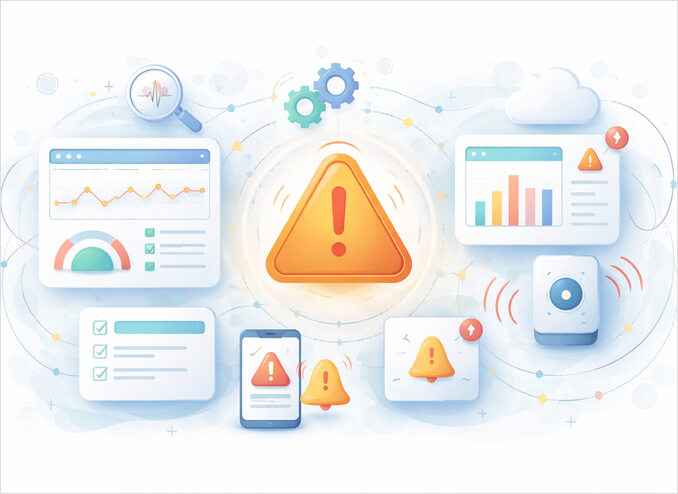
The goal we set here is to define alerting as a system made of rules, routing, context, channels, humans, and feedback loops.
That framing matters because modern alerting is no longer a single threshold tied to a pager. Prometheus separates alerting rules from Alertmanager, where routing, grouping, inhibition, silences, and receivers are handled. That split is useful because detection and delivery are different concerns. Alert rules decide that something is wrong. Alert management decides who should care, how often, and through which channel.
Related reading:
- Chat Platforms as System Interfaces in Modern Systems
- Slack Integration Patterns for Alerts and Workflows
- Discord Integration Pattern for Alerts and Control Loops
What an alert actually is
An alert is not any signal that looks interesting.
An alert is a signal that requires action.
That definition excludes a surprising amount of telemetry. Logs are records. Metrics are measurements. Traces are execution paths. Observability systems collect those signals so humans and tools can understand behavior. Alerting begins later, when some condition is important enough to trigger a response.
This is the boundary that keeps observability healthy.
- Metrics answer what changed.
- Logs answer what happened.
- Traces answer where time and errors accumulated.
- Alerts answer who needs to act now.
If everything becomes an alert, nothing is an alert. The result is not coverage. It is confusion.
Alerting as a system
A practical alert lifecycle looks like this:
signal -> rule -> alert -> routing -> channel -> human or automation -> action -> feedback
That lifecycle is more useful than a simple threshold diagram because it reflects what real systems do.
Signal
The starting point is telemetry. In most stacks that means metrics, logs, traces, or derived health checks. OpenTelemetry formalizes metrics, logs, and traces as separate signals, which is helpful because alerts should be derived from the right signal for the job.
Rule
A rule turns raw telemetry into a condition that matters. This may be threshold based, rate based, anomaly based, or SLO driven.
Alert
The rule creates an alert event with labels, annotations, and context. This is where severity, service, team, and environment should become explicit.
Routing
Routing decides where the alert goes. In Alertmanager this includes grouping, inhibition, silences, and notification receivers. This is where alerting becomes operational rather than merely technical.
Channel
The same alert may belong in different channels depending on urgency and audience.
- Pager for immediate response
- Chat for coordination
- Email for low urgency summaries
- Ticket or workflow system for planned follow up
Human or automation
Some alerts need human judgment. Some should trigger automated remediation. Many need both.
Action
The purpose of alerting is not visibility. It is action. The action might be restart, rollback, failover, investigation, or simply acknowledgement.
Feedback
The last step is the most neglected. Good teams review which alerts were useful, noisy, late, misrouted, or missing. Without that loop, alerting decays.
The difference between observability and alerting
Alerting belongs inside observability, but it should not consume observability. For the broader foundation, see Observability: Monitoring, Metrics, Prometheus & Grafana Guide.
Observability helps people explore systems. Alerting interrupts people. That distinction is uncomfortable but necessary.
A useful way to think about the boundary:
- Observability is breadth.
- Alerting is selectivity.
You want rich telemetry and selective interruption. The common failure mode is the opposite: thin telemetry and aggressive alerts.
This is why alerting should be based on carefully chosen symptoms and business impact, not on every metric that looks unusual. An overloaded node, slow dependency, or elevated error rate can all matter, but only if they imply impact or require intervention.
Core principles of good alert design
Actionability
Every alert should answer one question clearly:
What should happen next?
If there is no clear next action, the alert probably belongs in a dashboard, report, or issue backlog instead of an interruption channel.
Actionability usually means the alert includes:
- what is broken
- how bad it is
- where it is happening
- what to check next
- a runbook or link to investigation context
Ownership
An alert without ownership is a complaint, not a control mechanism.
Every alert should have a clear owner at design time, not during the incident. Ownership may be a team, rotation, or service group, but it must be explicit.
Context
An alert should reduce time to understanding, not merely time to notification.
Useful context often includes:
- service name
- environment
- region or cluster
- current value and threshold
- recent trend
- likely blast radius
- related dashboards or traces
- runbook link
Selectivity
The best alert is usually not the earliest possible one. It is the earliest one that can be trusted.
This is why long term high signal alerts often outperform eager but noisy thresholds.
Noise resistance
Noise is not only about volume. It is also about repetition and ambiguity.
A well designed alerting system suppresses duplicate symptoms when a larger root cause is already known, groups related alerts, and routes them through the smallest reasonable number of channels.
Alert taxonomy that actually helps
A simple taxonomy is usually better than a clever one.
Critical
Immediate human response is required. This is paging territory. Critical alerts should be rare, strongly owned, and closely tied to user or business impact.
High
Urgent, but not necessarily wake someone up now. These often belong in team chat and incident channels during working hours, or in an on call workflow that starts with triage.
Informational
Useful for awareness, trend monitoring, or planned follow up. These do not belong in the same path as urgent incidents.
A common mistake is to introduce too many severities. In practice, teams often operate better with a small model that maps cleanly to response expectations and channels.
Alert fatigue is a design problem
Alert fatigue is often described as a people problem. It is not. It is mostly a systems problem.
People get desensitized when they receive too many notifications that do not matter, repeat each other, or lack clear action. Bad alerting systems create bad human behavior.
Typical causes:
- every symptom becomes an alert
- no grouping during large outages
- missing inhibition rules
- poor ownership
- channels mixed by urgency
- alert thresholds disconnected from user impact
- no review loop after incidents
You do not fix this with a better ringtone. You fix it with design.
Rule strategies that matter
Threshold based alerts
These are the simplest and still useful.
Examples:
- CPU above a sustained threshold
- queue depth above a limit, including dead-letter queue depth and message age
- error rate above a threshold
They work best when:
- the signal is stable
- the threshold is meaningful
- the team understands the normal range
They work poorly when:
- the baseline is highly variable
- the metric is only weakly tied to impact
Rate based alerts
These focus on change over time rather than an absolute value.
Examples:
- error rate increased sharply in 10 minutes
- backlog growth exceeded normal trend
These are often better than static thresholds for dynamic systems.
Symptom based alerts
These focus on what users experience.
Examples:
- elevated request latency at the edge
- checkout failures increased
- login success rate dropped
This style tends to be more robust because it aligns with actual service health.
SLO based alerts
SLO driven alerting is one of the most practical ways to reduce noise. Instead of alerting on every bad minute, it focuses on error budget burn and sustained user impact. It is harder to design than a threshold, but usually more aligned with reality.
Opinionated take: many teams try to jump straight into SLO alerting before they have stable service ownership or basic routing discipline. That sequence usually disappoints. Strong basics beat fashionable math.
Routing is where alerting becomes real
Routing is not an implementation detail. It is the center of operational alerting.
Prometheus Alertmanager makes this explicit. It handles grouping, deduplication, routing, silences, and inhibition before delivering notifications to receivers such as email, PagerDuty, OpsGenie, and chat platforms. This is exactly the right split. Detection without routing is raw signal. Routing turns signal into response.
A practical routing model can be based on:
- severity
- service ownership
- environment
- time of day
- maintenance windows
- incident state
- blast radius
Grouping
Grouping combines similar alerts into a smaller number of notifications. This matters during cascading failures, where one root problem creates hundreds of symptoms.
Grouping is not about hiding detail. It is about protecting human attention.
Inhibition
Inhibition suppresses secondary alerts when a higher level root cause is already active.
If an entire cluster is unreachable, the responder does not need a flood of service specific notifications that all say the same thing indirectly.
Silences
Silences are temporary muting with clear scope and time boundaries. They are useful during maintenance, migrations, and known incidents.
A silence is not a fix. It is a temporary operational control.
Choosing the right alert channel
The channel should match the response shape.
Paging systems
Paging is for urgent response. If the alert must wake someone up, it should not begin in a chat room.
Chat platforms
Chat is strong for collaboration, triage, and human in the loop workflows. This is where Slack integration patterns for alerts and workflows and Discord integration patterns for alerts and control loops become useful system interfaces rather than simple message sinks.
Use chat when:
- a team needs shared context
- response is collaborative
- a button, command, or reaction can trigger a controlled action
- urgency is high but not necessarily page worthy
Email is low urgency by nature. It is fine for summaries, trends, and follow ups. It is weak for incident response.
Dashboards
Dashboards are for exploration, not interruption. They complement alerts. They do not replace them.
Human in the loop alerting
A good alert does not always end with acknowledgement. Sometimes it begins a workflow.
That is where chat platforms become interesting. An alert can enter Slack or Discord with context and an interaction surface. A human can acknowledge, approve, suppress, escalate, or trigger a safe action. This turns alerting from broadcast into controlled interaction.
That pattern belongs at the intersection of observability and integration patterns:
- observability decides what is worth surfacing
- integration patterns decide how humans respond through tools
This page should therefore link out to the chat platform articles rather than absorb them.
What belongs in the alert message
A surprisingly large number of alerting problems are message design problems.
A useful alert message usually includes:
- short problem statement
- service and environment
- severity
- symptom and value
- user or system impact
- first investigation step
- runbook or dashboard link
A weak alert says:
high latency detected
A stronger alert says:
checkout latency p95 above 1.8s for 15m in prod-eu
impact: user checkout is degraded
next step: inspect upstream payment dependency and error budget panel
runbook: [[siteurl]]/runbooks/checkout-latency
That difference is not cosmetic. It is operational.
Anti patterns that keep repeating
Alerting on everything measurable
This is the fastest path to noise. Observability thrives on breadth. Alerting does not.
Mixing urgency levels in one channel
If critical pages, informational alerts, and casual discussion share the same path, responders learn the wrong habit.
No ownership in labels or routing
The alert reaches a human, but not the right human.
No deduplication or grouping
The same incident produces dozens of notifications. People stop trusting the system.
Alerts without feedback review
The system keeps sending the same bad alerts because nobody closes the design loop.
Alerts that require reading code to understand
The on call person needs a next step, not a puzzle.
A practical architecture view
A minimal but realistic model:
metrics logs traces
        |
        v
   detection rules
        |
        v
   alert manager
   - grouping
   - deduplication
   - inhibition
   - silences
   - routing
        |
        v
receivers and channels
- pager
- chat
- email
- workflow
        |
        v
human or automation
        |
        v
remediation and review
This model scales because it separates concerns. It also matches the way modern alerting stacks are actually built.
Conclusion
Alerting is not a side effect of monitoring. It is a response system built on top of observability.
The strong version of alerting is selective, routed, contextual, and reviewable. It reduces time to action without flooding human attention. It uses grouping, inhibition, silences, and proper channel choice to preserve trust. And it treats chat platforms as response interfaces, not as substitutes for strategy.
