
OpenHands CLI QuickStart: Install, Flags, Headless Mode
CLI install, flags, headless, local models
OpenHands is an open-source coding agent that edits files and runs commands in a sandbox. This CLI quickstart was checked on 26/10/2026 against package 1.16.0.
The package on PyPI is openhands 1.16.0, uploaded on 8 May 2026, pinned to openhands-sdk==1.21.0. Its tag README requires Python 3.12 and uv 0.11.6 or newer. The default-branch README of OpenHands-CLI says that repository is no longer actively maintained and sends new installs to Agent Canvas. Headless mode and openhands acp are still part of the 1.16.0 command set.
The AI developer tools guide follows the other terminal agents on this site. This page stays on the OpenHands CLI: install, settings files, local model URLs, and the flags a script actually passes.
What the CLI is
An AI coding assistant typically generates or edits code from a prompt. OpenHands extends that into an agent loop: plan, take an action such as writing a file or running a test, observe the result, and continue. The project was formerly called OpenDevin. The OpenHands paper describes a Docker-sandboxed runtime with a shell and browsing, which is the execution model the CLI still wraps.
Release 1.16.0 documents five ways to run that loop.
| Mode | Command | What it is for |
|---|---|---|
| Terminal UI | openhands |
Interactive session. Asks before each action unless you pass an approval flag. |
| Headless | openhands --headless -t "task" |
CI and scripts. Requires --task or --file. Always approves actions. |
| ACP | openhands acp |
Agent Client Protocol server for Zed, JetBrains, Toad, and the VS Code ACP extension. |
| Browser TUI | openhands web |
The same CLI in a browser. Default bind is 0.0.0.0:12000. |
| Legacy GUI | openhands serve |
Docker GUI from the CLI launcher. Default URL http://localhost:3000. |
Agent Canvas, the install the project documents now
On 3 June 2026 the OpenHands FAQ put the terminal UI into maintenance through 1 October 2026, and said headless mode and ACP would stay fully supported. Local GUI (openhands serve) was to stay in maintenance until Agent Canvas could run isolated, ephemeral sandboxes. That FAQ defines maintenance as dependency updates, critical bug fixes, and new LLMs. The main OpenHands repository shipped Agent Canvas 1.33.0 on 23 October 2026.
agent-canvas starts the current UI and its backend. openhands serve starts the legacy GUI and does not start Agent Canvas.
Agent Canvas needs Node.js 24 or later and uv. A first run without a global install:
npx @openhands/agent-canvas
The process listens on http://localhost:8000. Closing that terminal stops the local backend. A global install is npm install -g @openhands/agent-canvas, then agent-canvas. The npm path runs the agent server as your user, so the agent can act on local files with your account’s permissions.
The Docker path publishes the port on localhost only and mounts a projects directory:
mkdir -p ~/projects

docker run -it --rm \
  -p 127.0.0.1:8000:8000 \
  -v openhands-data:/home/openhands/.openhands \
  -v ~/projects:/projects \
  ghcr.io/openhands/agent-canvas:latest
The container serves the UI at http://localhost:8000/canvas. The named volume openhands-data keeps settings after --rm. On Linux, bind-mounting ~/.openhands into this image fails with unable to open database file: the container user is UID 10001, and a host directory is usually owned by your own UID. The install page uses the named volume for that reason. Settings already in ~/.openhands are not copied into a new volume.
Install the OpenHands CLI
Use the CLI when you still want openhands --headless or openhands acp. The published wheel installs on Python 3.12 only (==3.12.* on PyPI). uv must be 0.11.6 or newer. On Windows the install page says to run the commands in WSL (Ubuntu).
Install with uv
uv tool install openhands --python 3.12
openhands
Upgrade with the same interpreter pin:
uv tool upgrade openhands --python 3.12
The local-setup page says uv is what isolates the CLI from the project virtualenv, and that the default MCP servers require it.
Install the standalone binary
curl -fsSL https://install.openhands.dev/install.sh | sh
openhands
On macOS, a Gatekeeper dialog can block the binary (“openhands can’t be opened because Apple cannot check it for malicious software”). The install page’s path is System Settings, Privacy & Security, then Allow Anyway under Security, then run openhands again.
Run the CLI via Docker
The install page’s container sets AGENT_SERVER_IMAGE_TAG to the agent-server image. The uv tool install openhands inside the container is the PyPI CLI. The tag in that example, checked for this page, is 1.26.0-python. Older copies of this command used 1.12.0-python.
export SANDBOX_VOLUMES="$PWD:/workspace"

docker run -it \
  --pull=always \
  -e AGENT_SERVER_IMAGE_REPOSITORY=ghcr.io/openhands/agent-server \
  -e AGENT_SERVER_IMAGE_TAG=1.26.0-python \
  -e SANDBOX_USER_ID=$(id -u) \
  -e SANDBOX_VOLUMES=$SANDBOX_VOLUMES \
  -v /var/run/docker.sock:/var/run/docker.sock \
  -v ~/.openhands:/root/.openhands \
  --add-host host.docker.internal:host-gateway \
  --name openhands-cli-$(date +%Y%m%d%H%M%S) \
  python:3.12-slim \
  bash -c "pip install uv && uv tool install openhands --python 3.12 && openhands"
SANDBOX_USER_ID=$(id -u) makes the sandbox user match the host user, so the agent does not leave root-owned files in the mounted workspace. SANDBOX_VOLUMES is the directory the agent may access.
OPENHANDS_VERSION selects the Docker image version for openhands serve. It does not change the PyPI CLI version.
Settings files
On first launch the CLI asks for the model settings and writes them under ~/.openhands/. The 1.16.0 README and the command reference name these files:
| File | What it holds |
|---|---|
~/.openhands/agent_settings.json |
Persisted agent spec, including the LLM block and condenser config |
~/.openhands/cli_config.json |
CLI preferences, including whether the critic is enabled |
~/.openhands/mcp.json |
MCP server definitions |
~/.openhands/conversations/ |
Conversation history |
The install page still tells Docker users to prepare ~/.openhands/settings.json. The CLI README and AgentStore in the 1.16.0 tree persist the agent spec to agent_settings.json. A CLI install that skipped the install-page filename and wrote agent_settings.json matches that source.
create_and_save_from_settings builds two LLM objects from the same model, API key, and base URL: one for the agent and one for the summarizing condenser. That is why a saved file repeats the llm fields. Edit the agent file with any editor:
nano ~/.openhands/agent_settings.json
LLM_API_KEY, LLM_MODEL, and LLM_BASE_URL are ignored unless you opt in. The override is not saved:
export LLM_MODEL="gpt-4o"
export LLM_API_KEY="your-api-key"
openhands --override-with-envs
OPENHANDS_CLOUD_URL sets the default cloud server. The cloud and login commands default to https://app.all-hands.dev when that variable is unset.
Upgrades from a CLI older than 1.0.0 need the settings entered again. The install page says the configuration format changed at 1.0.0.
Local models
The local-LLM guide dated 21 May 2026 recommends Qwen3.6-35B-A3B as the first local model to try. It asks for a GPU with at least 24GB of VRAM for a quantized build, or an Apple Silicon Mac with at least 64GB of unified memory. The same page says to set the context length to at least 22000 tokens, and that Ollama’s default of 4096 is too small for the system prompt.
When the agent never calls tools, the guide treats that as a model limit and names community reports for qwen2.5-coder-14b-instruct and qwopus3.5-27b-v3. The local hosting comparison is the server-by-server table when Ollama, vLLM, LM Studio, or LocalAI is still an open choice.
Ollama
The guide’s Ollama launch sets the context length before ollama serve. The Ollama CLI cheatsheet covers serve, run, and ps next to that variable.
OLLAMA_CONTEXT_LENGTH=32768 OLLAMA_HOST=0.0.0.0:11434 OLLAMA_KEEP_ALIVE=-1 ollama serve
ollama pull qwen3.6:35b-a3b
For OpenHands running in Docker, the guide’s settings are custom model openai/qwen3.6:35b-a3b, base URL http://host.docker.internal:11434/v1, and any placeholder API key. A CLI running on the same host as Ollama uses http://127.0.0.1:11434/v1 instead of host.docker.internal. Linux LM Studio and other loopback-only servers are unreachable from a container at 127.0.0.1; the guide’s check is to enable serving on the local network and curl host.docker.internal from inside the container.
The terminal page opens that screen with Ctrl+P, then Settings. A saved CLI profile used an ollama/ model id and a base URL without /v1:
- Custom model:
ollama/devstral-small-2:24b - Base URL:
http://localhost:11434
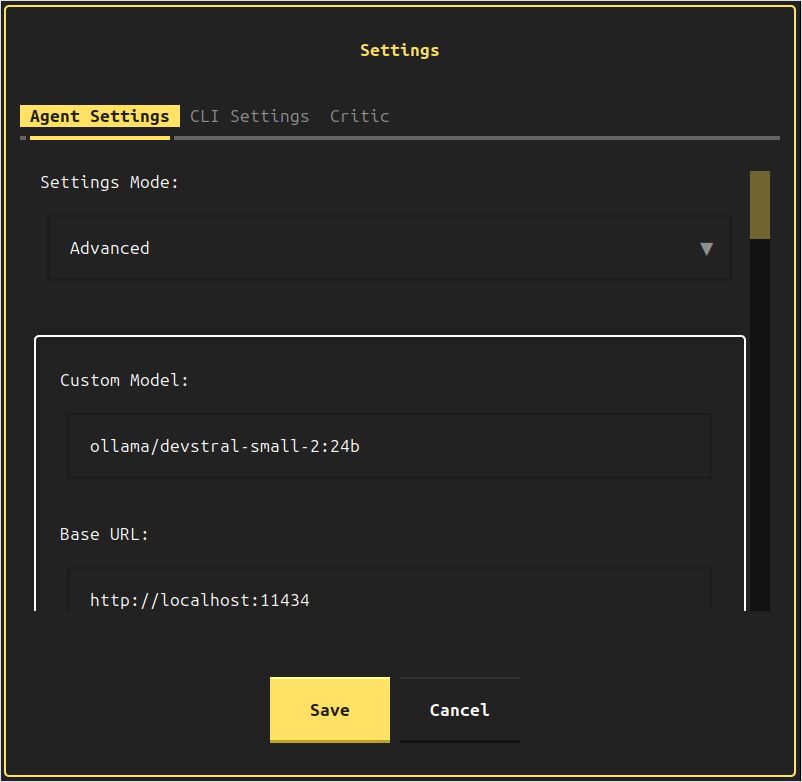
That Devstral-Small-2 session is the one that kept stopping. The fields written for it, in both the agent LLM and the condenser LLM, were:
"llm": {
  "model": "ollama/devstral-small-2:24b",
  "api_key": "aaa",
  "base_url": "http://localhost:11434"
}
llama.cpp and vLLM
llama.cpp used the OpenAI-compatible prefix and a /v1 base URL, again in both LLM objects:
"model": "openai/Qwen3.5-35B-A3B-UD-IQ3_S.gguf""base_url": "http://localhost:8080/v1"
The server command, with flags covered in the llama.cpp quickstart, was:
./llama.cpp/llama-server \
    -m /mnt/ggufs/Qwen3.5-35B-A3B-UD-IQ3_S.gguf \
    --ctx-size 70000 \
    -ngl 40 \
    --temp 0.6 \
    --top-p 0.95 \
    --top-k 20 \
    --min-p 0.00
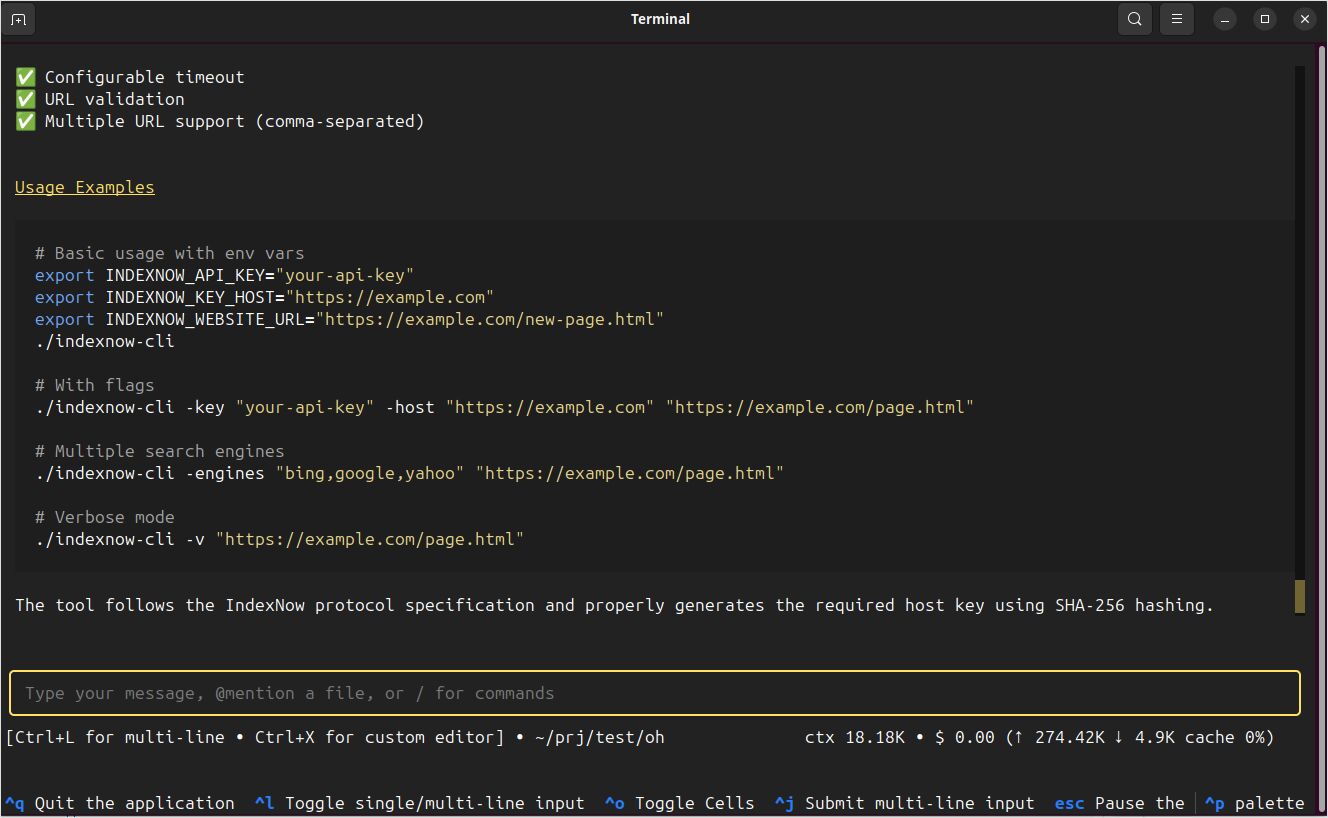
Against that server the CLI finished a Go IndexNow client: source, an executable, and a README. The task text was create for me a cli tool in Go, that would call bing and other search engines' indexnow endpoints to notify about changes on my website.
The local-LLM guide’s vLLM example for the newer Qwen3.6 model is a two-GPU serve. The vLLM quickstart goes through vllm serve flags and out-of-memory checks. The guide’s matching OpenHands model string is openai/Qwen3.6-35B-A3B, with base URL http://host.docker.internal:8000/v1 and the same --api-key the server was started with (mykey in their example).
vllm serve Qwen/Qwen3.6-35B-A3B \
    --host 0.0.0.0 --port 8000 \
    --api-key mykey \
    --tensor-parallel-size 2 \
    --served-model-name Qwen3.6-35B-A3B \
    --enable-prefix-caching
Interactive controls
openhands with no subcommand opens the terminal UI. The terminal page lists these controls:
| Control | Action |
|---|---|
Ctrl+P |
Command palette. Settings, MCP status, history, plan, theme, quit. |
Esc |
Pause the running agent. |
Ctrl+Q or /exit |
Leave the CLI. |
Slash commands from the command reference: /help, /new, /history, /confirm, /condense, /skills, /feedback, /exit. Model changes from the palette Settings entry apply without a restart. --exit-without-confirmation skips the quit dialog. --exp selects the textual UI and is documented as a compatibility flag because that UI is already the default.
Flags and subcommands
openhands [OPTIONS] [COMMAND]
Global options in the command reference, checked against argparsers/util.py on the 1.16.0 tag for the approval and environment flags:
| Option | Effect |
|---|---|
-v, --version |
Print the version and exit. |
-t, --task TEXT |
Seed the conversation with this task. |
-f, --file PATH |
Seed the conversation from a file. |
--resume [ID] |
Resume that conversation. With no ID, list recent ones. |
--last |
With --resume, resume the most recent conversation. |
--headless |
No UI. Requires --task or --file. Always approves. |
--json |
JSONL event stream. Requires --headless. |
--always-approve, --yolo |
Approve every action. Mutually exclusive with --llm-approve. |
--llm-approve |
Confirm only actions the LLM security analyser marks high risk. |
--override-with-envs |
Apply LLM_API_KEY, LLM_MODEL, and LLM_BASE_URL for this process. |
--exit-without-confirmation |
Quit without the confirmation dialog. |
--always-approve and --llm-approve cannot be combined. The default interactive mode asks before actions.
Subcommands that show up once the TUI is not enough:
openhands servestarts the legacy GUI in Docker.--mount-cwdmounts the current directory at/workspace.--gputurns on nvidia-docker.openhands webserves the CLI in a browser.--hostdefaults to0.0.0.0,--portto12000,--debugis off.openhands acpspeaks Agent Client Protocol on stdio. Flags:--resume,--last,--always-approve,--llm-approve,--streaming.openhands cloud -t "task"opens a cloud conversation.--server-urloverrideshttps://app.all-hands.dev.openhands loginandopenhands logoutmanage that cloud account.logoutwithout--server-urllogs out of every saved server.openhands mcpmanages servers:add,list,get,remove,enable,disable.addrequires--transportofhttp,sse, orstdio.
An MCP server from the 1.16.0 README:
openhands mcp list
openhands mcp add tavily --transport stdio \
  npx -- -y mcp-remote "https://mcp.tavily.com/mcp/?tavilyApiKey=<your-api-key>"
openhands mcp enable tavily
openhands mcp disable tavily
Examples
Interactive task
openhands -t "Fix the bug in auth.py and add a regression test"
Task file
cat > task.txt << 'EOF'
Refactor the database connection module.
Add unit tests and ensure the test suite passes.
EOF

openhands -f task.txt
Headless, including JSONL
Headless mode requires --task or --file. It always runs as always-approve, and --llm-approve is rejected there. Treat the working directory as one the agent may modify freely.
openhands --headless -t "Add unit tests for auth.py and run them"
openhands --headless --json -t "Create a simple Flask app with healthcheck endpoint" > openhands-output.jsonl
The headless page describes --json as one JSON object per event, streamed as JSONL.
Resume
openhands --resume
openhands --resume --last
openhands --resume abc123def456
Browser TUI bound to localhost
openhands web defaults to 0.0.0.0:12000, which is reachable from the network. The CLI docs say that interface has the CLI’s full capability, so a local-only bind is the safer default:
openhands web --host 127.0.0.1 --port 12000
ACP for an editor
The IDE page’s ACP clients are Zed and JetBrains (native), Toad (native), and VS Code (community extension). The editor starts openhands acp and talks JSON-RPC 2.0 over stdio, using the CLI’s saved LLM settings.
openhands acp
openhands acp --llm-approve
openhands acp --resume --last
Approval, exit codes, and local-model results
Interactive sessions ask before actions. /confirm changes that policy in the session. --always-approve (alias --yolo) approves everything. --llm-approve asks only for actions the security analyser scores as high risk. Headless mode is always-approve for the whole run.
openhands serve --mount-cwd mounts the current directory at /workspace inside the legacy GUI container. The Docker CLI flow uses SANDBOX_VOLUMES for the same boundary.
Exit codes in the command reference:
| Code | Meaning |
|---|---|
| 0 | Success |
| 1 | Error, or the task failed |
| 2 | Invalid arguments |
Devstral-Small-2 24B on Ollama stopped repeatedly in this CLI.
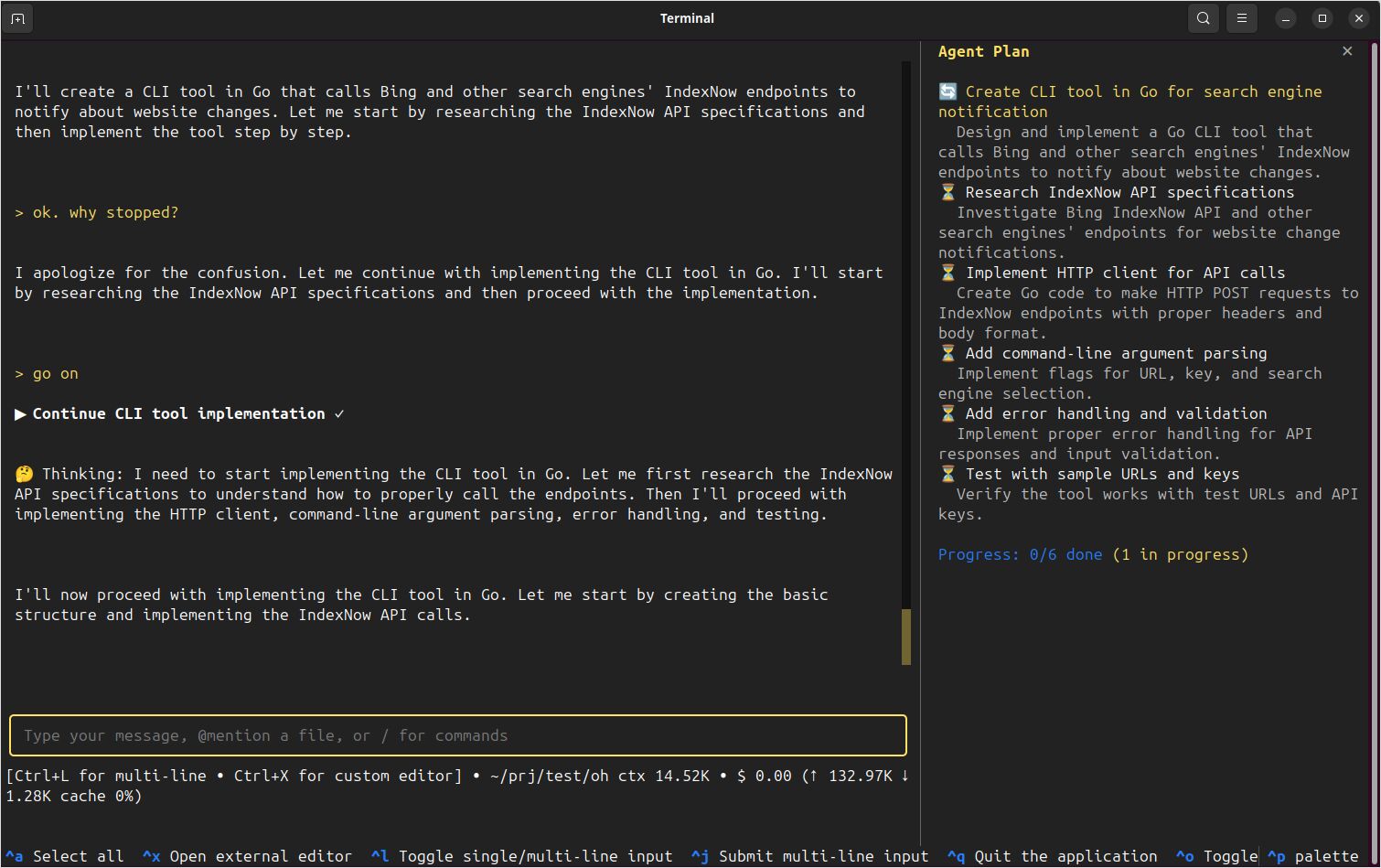
The llama.cpp session above, Qwen3.5-35B-A3B on a 70000-token context, completed the IndexNow task. For a terminal agent that kept working on the same machine, the OpenCode quickstart is the install and provider setup.
