
Model Routing: Stop Using One Model for Everything
The right model for the right task.
Running a 70B parameter model to summarize a 200-word email is wasteful. Running a 3B model to review production code is reckless. Most systems live somewhere in between — and that’s where model routing comes in.
It matches task complexity to model capability. The tradeoffs are real, but the savings are too.
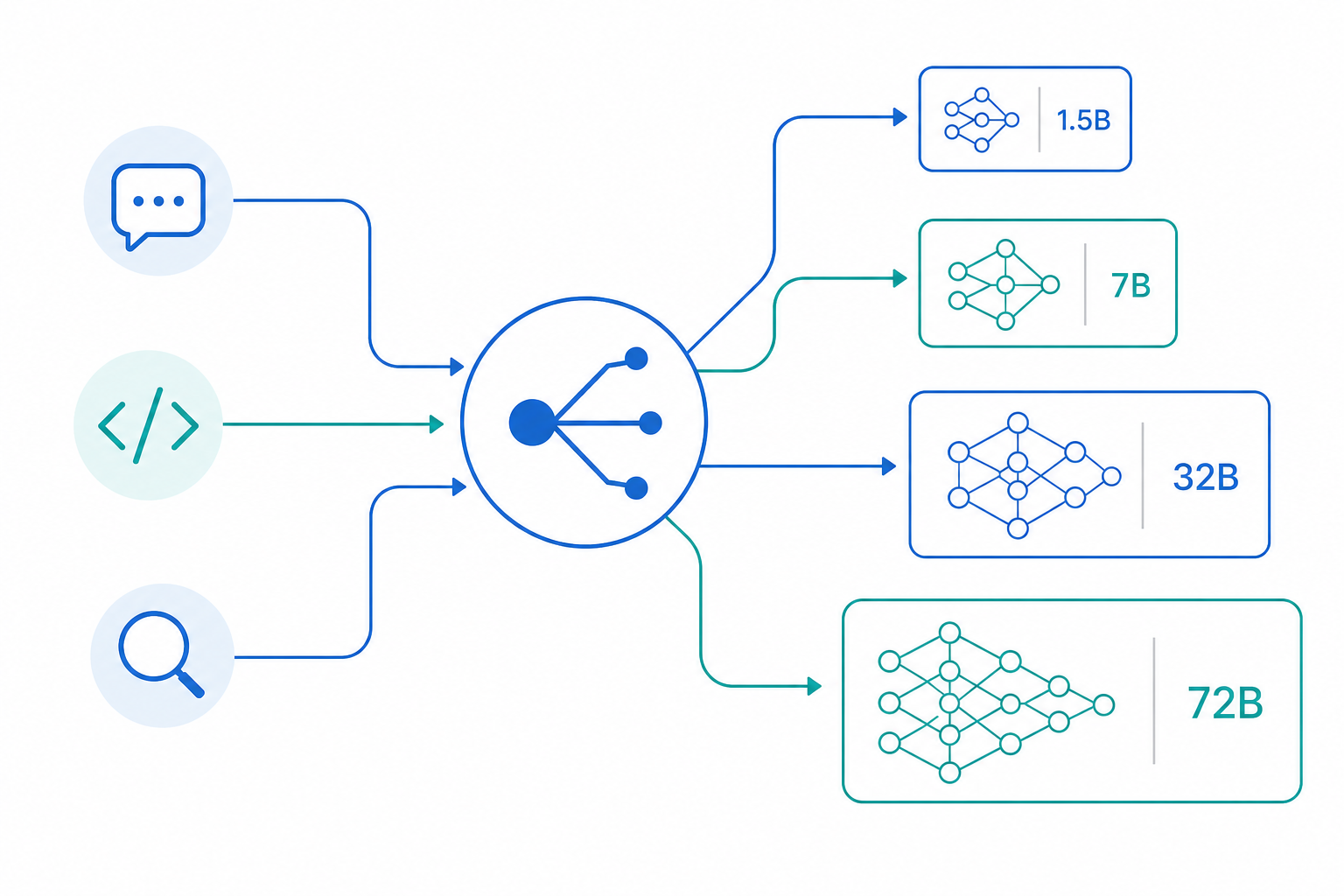
The routing problem
People usually start with one model and stick with it. That works until you notice the cost, or the latency, or both. The alternative is building a router — something that decides which model handles which request.
Four strategies work in practice:
- Capability-based — route by what the model can do
- Cost-aware — route by what you’re willing to spend
- Latency-aware — route by how fast you need it
- Hybrid — combine them
Each optimizes something different. Picking one is usually a decision about what hurts most.
Capability-based routing
The simplest approach. Classify the task, send it to the model that handles it.
| Task | Model size | Examples |
|---|---|---|
| Classification, tagging | 1-3B | Qwen3-1.7B, Gemma-2-2B |
| Summarization, extraction | 3-7B | Qwen3-8B, Llama-3.1-8B |
| Code generation | 7-14B | Qwen2.5-Coder-7B, DeepSeek-Coder-V2 |
| Complex reasoning | 14-32B | Qwen3-32B, Llama-3.1-70B |
| Creative writing, analysis | 32B+ | Qwen2.5-72B, Claude, GPT-4 |
If the task doesn’t need the bigger model, don’t use it. A 1.5B model handles sentiment classification fine. It just won’t write a coherent essay.
Implementation is straightforward:
ROUTING_RULES = {
    "classify": {"model": "qwen3-1.7B", "max_tokens": 100},
    "summarize": {"model": "qwen3-8B", "max_tokens": 500},
    "code_review": {"model": "qwen2.5-coder-7b", "max_tokens": 2000},
    "reason": {"model": "qwen3-32b", "max_tokens": 4000},
    "creative": {"model": "claude-sonnet-4", "max_tokens": 8000},
}

def route_request(task_type: str) -> dict:
    return ROUTING_RULES.get(task_type, ROUTING_RULES["reason"])
The catch is classification itself. If you get the task type wrong, you route to the wrong model. I’ve seen systems classify code review as “summarization” and lose quality silently.
Cost-aware routing
Local inference shines here. Local models are effectively free after hardware amortization. A RTX 5080 pays for itself in about six months at moderate API usage.
| Model | Input ($/M tokens) | Output ($/M tokens) | Local cost/hour |
|---|---|---|---|
| GPT-4o | $2.50 | $10.00 | — |
| Claude Sonnet 4 | $3.00 | $15.00 | — |
| Qwen2.5-72B (API) | $0.50 | $2.00 | — |
| Qwen3-32B (local) | $0.00 | $0.00 | ~$0.10 |
| Qwen3-8B (local) | $0.00 | $0.00 | ~$0.05 |
If you’re processing thousands of requests per session, even $0.05 in electricity beats $15/M tokens.
Budget-based routing falls back as you spend:
class CostAwareRouter:
    def __init__(self, budget_per_session: float = 0.10):
        self.budget = budget_per_session
        self.spent = 0.0
        self.models = {
            "cheap": {"model": "qwen3-8B", "cost": 0.0},
            "medium": {"model": "qwen3-32b", "cost": 0.0},
            "expensive": {"model": "claude-sonnet-4", "cost": 0.000015},
        }

    def route(self, task: str) -> str:
        ratio = self.spent / self.budget
        if ratio < 0.5:
            return self.models["expensive"]["model"]
        elif ratio < 0.8:
            return self.models["medium"]["model"]
        return self.models["cheap"]["model"]
Quality degrades as you fall back. You start with Claude, move to Qwen3-32B, then to Qwen3-8B. By the end of a long session, the output is noticeably worse. Whether that matters depends on what you’re building.
Routing routine traffic to a local model while reserving the API for edge cases also has a side benefit beyond cost: it keeps you from drifting into the kind of data gravity where every fine-tune and eval harness ends up shaped around a single provider’s API.
Latency-aware routing
Interactive tools need fast first tokens. Batch jobs can wait. The difference is usually a factor of five in model size.
| Use case | First token | Complete | Max model size |
|---|---|---|---|
| Real-time chat | < 200ms | < 2s | < 7B |
| Interactive tools | < 500ms | < 5s | < 14B |
| Batch processing | < 1s | < 30s | Any |
| Research/analysis | < 2s | < 60s | Any |
When you’re streaming tokens to a user, first token latency is what they feel. A 32B model taking half a second to start feels sluggish compared to a 1.5B model that fires instantly.
class LatencyAwareRouter:
    def __init__(self):
        self.model_latencies = {
            "qwen3-1.7b": {"first_token": 0.05, "complete": 0.5},
            "qwen3-8B": {"first_token": 0.15, "complete": 2.0},
            "qwen3-32b": {"first_token": 0.5, "complete": 10.0},
            "claude-sonnet-4": {"first_token": 0.3, "complete": 5.0},
        }

    def route(self, target_latency: float) -> str:
        for model, latencies in sorted(
            self.model_latencies.items(),
            key=lambda x: x[1]["complete"]
        ):
            if latencies["complete"] <= target_latency:
                return model
        return "qwen3-1.7b"
The latency numbers are rough — they depend on your hardware, quantization, and batch size. Measure on your own setup.
Fallback strategies
Models fail. APIs rate-limit. Timeouts happen. The pattern that works is a fallback chain, ordered from best to most reliable:
class FallbackRouter:
    def __init__(self):
        self.fallback_chain = [
            {"model": "claude-sonnet-4", "timeout": 30},
            {"model": "qwen2.5-72b", "timeout": 60},
            {"model": "qwen3-32b", "timeout": 120},
            {"model": "qwen3-8b", "timeout": 300},
        ]

    def route_with_fallback(self, prompt: str) -> str:
        for config in self.fallback_chain:
            try:
                return self.call_model(
                    config["model"], prompt,
                    timeout=config["timeout"]
                )
            except (TimeoutError, APIError) as e:
                log.warning(f"Model {config['model']} failed: {e}")
                continue
        raise RuntimeError("All fallback models failed")
The last model in the chain should be local. It’s slower, but it won’t fail because of a network issue or an API key.
When routing helps
Routing makes sense when your workload is mixed. If you’re doing classification, summarization, and reasoning in the same system, a router saves money and latency.
It doesn’t make sense when everything you do is the same complexity. Just use the model that’s good at that task. The router adds complexity you don’t need.
Early prototyping is another reason to skip it. Get the task working with one model, then add routing when cost or latency actually becomes a problem.
Tradeoffs
Every routing strategy optimizes something and sacrifices something else:
- Single model — simplest, most expensive, consistent quality
- Capability-based — better cost, higher quality per task, moderate complexity
- Cost-aware — cheapest, quality varies, moderate complexity
- Latency-aware — fastest, may sacrifice quality, moderate complexity
- Hybrid — best of all, most complex to implement
Production systems usually converge on hybrid. Start with capability-based routing, add cost awareness when the bill comes in, add latency awareness when users complain about slowness.
Related
- Cost Optimization for LLM Systems — token budgeting, caching, fallback models
- LLM Guardrails in Practice — input validation, output filtering, safety
- Multi-Model System Design — architecture for multiple models
- LLM Architecture — system design pillar: routing, cost, guardrails, and orchestration
