
GPU monitoring applications in Linux / Ubuntu
Little list of applications for GPU load monitoring
GPU load monitoring applications: nvidia-smi vs nvtop vs nvitop vs KDE plasma systemmonitor.
Here we have just some screenshots and descriptions of linux apps useful for GPU monitoring.
For overall concepts please see observability and monitoring guide.
nvidia-smi
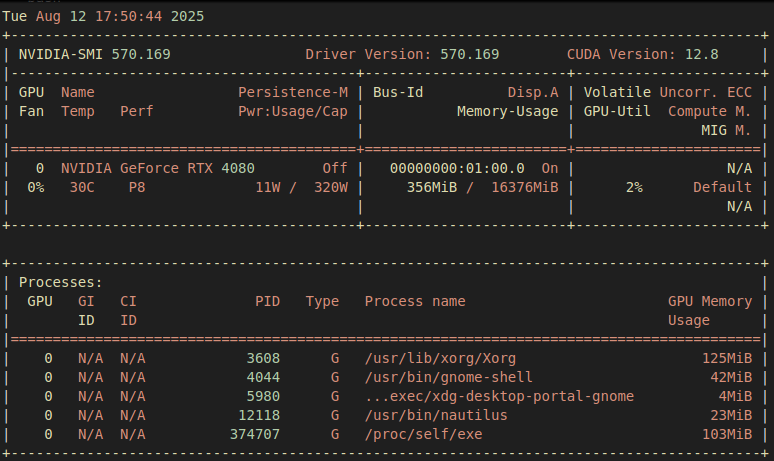
Right away we can see the load is 2%, VRAM used: 356MiB / 16376MiB, and the power drawn 11W / 320W We can also see how much memory each process is using.
to display nvidia-smi with auto-refresh:
nvidia-smi -l
nvidia-smi is a very helpful program, you can set among other things a limit on power drawn by your GPU by calling
# set a power limit of 200W use (-i 0 apples to only the 1st gpu)
sudo nvidia-smi -i 0 -pl 200
nvtop
Another nice application for monitoring GPU load in linux is nvtop.
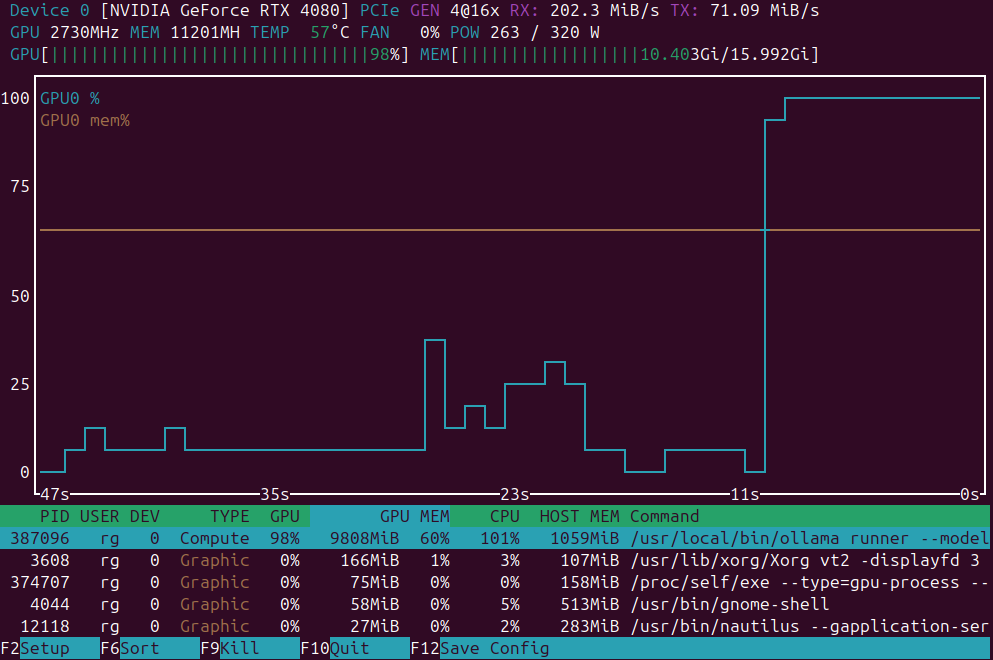
We can see how much VRAM used in total, GPU Load overall, then CPU and load and VRAM/RAM usage per process, and some diagram. To have some visuals is always very nice.
nvitop
nvitop has an interface a step above nvtop. Just look at this screenshot:
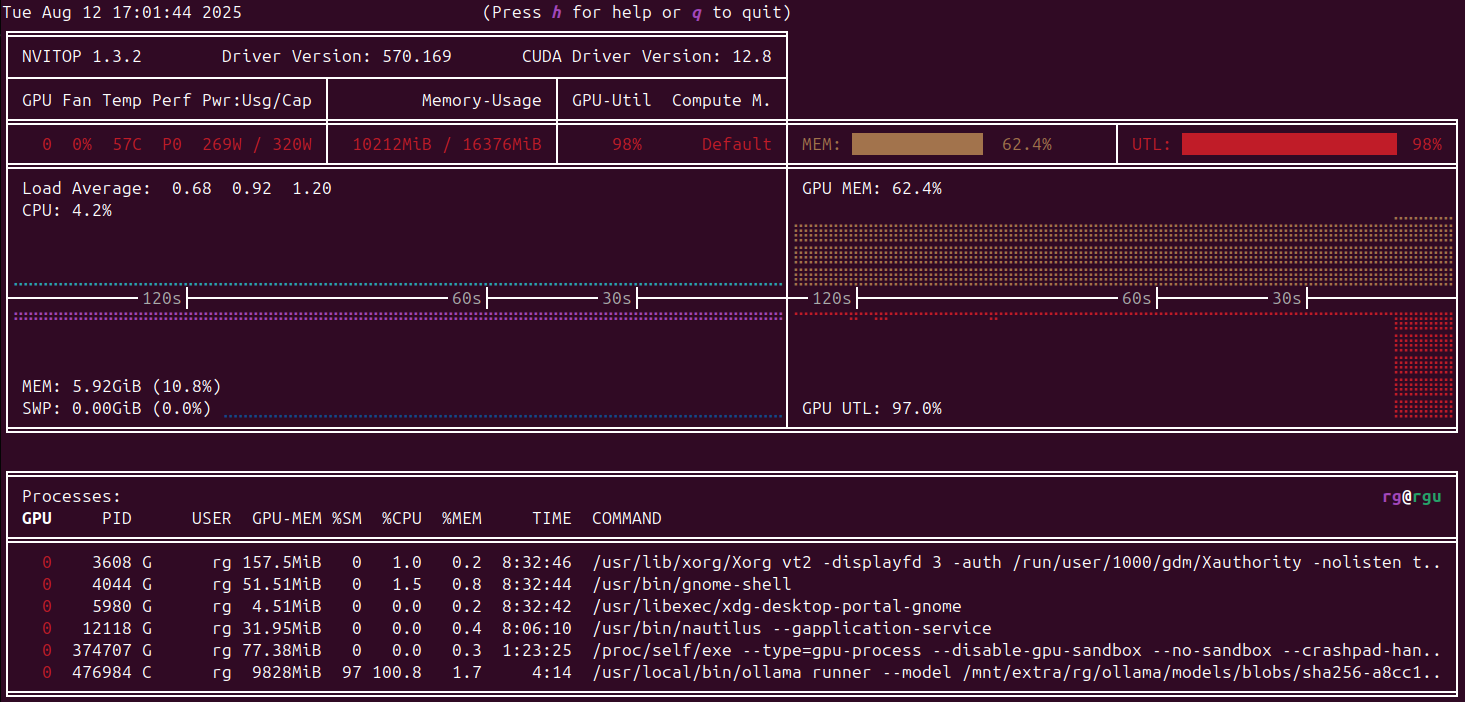
Temperature, RAM/VRAM usage and the GPU load - everything is clearly visible and accessible.
kde.plasma-systemmonitor
Even though I’m using standard Ubuntu (Gnome based), I can still install kde.plasma-systemmonitor and use it.
sudo apt-get install kde.plasma-systemmonitor

plasma-systemmonitor
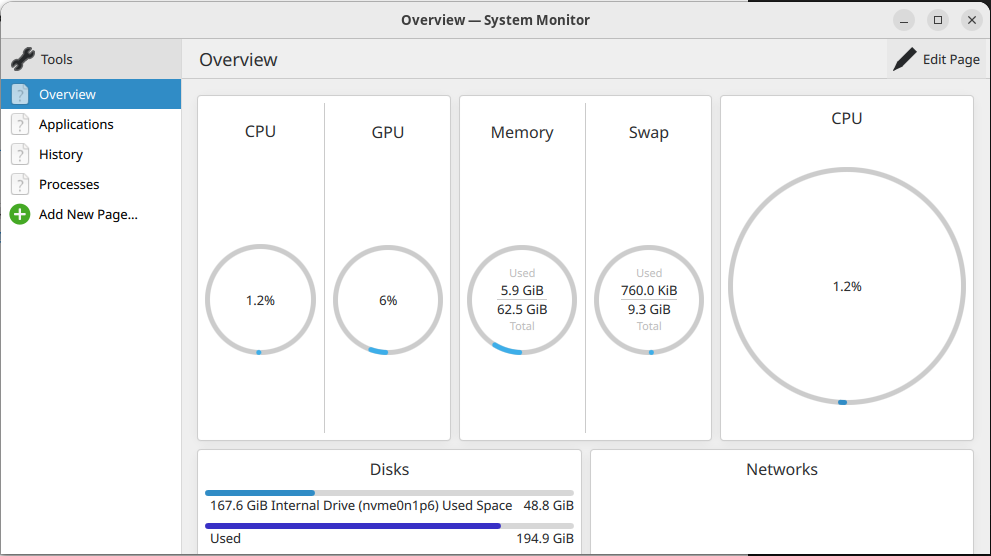
KDE plasma systemmonitor has a GPU section which is showing current GPU load. It is not useful in relation with VRAM used but still something.
