
LLM Hosting in 2026: Local, Self-Hosted & Cloud Infrastructure Compared
Large language models are no longer limited to hyperscale cloud APIs. In 2026, you can host LLMs:
- On consumer GPUs
- On local servers
- In containerized environments
- On dedicated AI workstations
- Or entirely through cloud providers
The real question is no longer “Can I run an LLM?”
The real question is:
What is the right LLM hosting strategy for my workload, budget, and control requirements?
This pillar breaks down modern LLM hosting approaches, compares the most relevant tools, and links to deep dives across your stack.
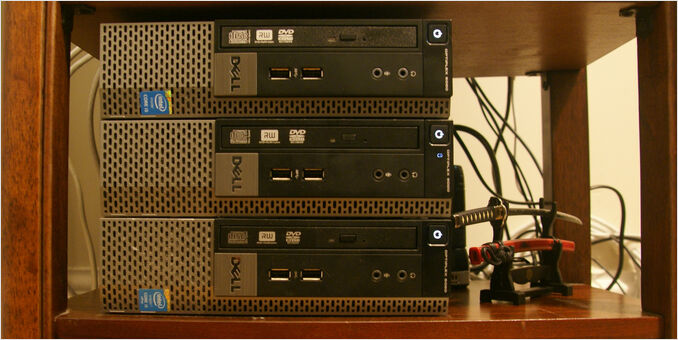
What Is LLM Hosting?
LLM hosting refers to how and where you run large language models for inference. Hosting decisions directly impact:
- Latency
- Throughput
- Cost per request
- Data privacy
- Infrastructure complexity
- Operational control
LLM hosting is not just installing a tool — it’s an infrastructure design decision.
LLM Hosting Decision Matrix
| Approach | Best For | Hardware Needed | Production Ready | Control |
|---|---|---|---|---|
| Ollama | Local dev, small teams | Consumer GPU / CPU | Limited scale | High |
| llama.cpp | GGUF models, CLI/server, offline | CPU / GPU | Yes (llama-server) | Very high |
| vLLM | High-throughput production | Dedicated GPU server | Yes | High |
| SGLang | HF models, OpenAI + native APIs | Dedicated GPU server | Yes | High |
| llama-swap | One /v1 URL, many local backends |
Varies (proxy only) | Medium | High |
| Docker Model Runner | Containerized local setups | GPU recommended | Medium | High |
| LocalAI | OSS experimentation | CPU / GPU | Medium | High |
| Cloud Providers | Zero-ops scale | None (remote) | Yes | Low |
Each option solves a different layer of the stack.
Local LLM Hosting
Local hosting gives you:
- Full control over models
- No per-token API billing
- Predictable latency
- Data privacy
Trade-offs include hardware constraints, maintenance overhead, and scaling complexity.
Ollama
Ollama is one of the most widely adopted local LLM runtimes.
Use Ollama when:
- You need rapid local experimentation
- You want simple CLI + API access
- You run models on consumer hardware
- You prefer minimal configuration
When you want Ollama as a stable single-node endpoint—reproducible containers with NVIDIA GPUs and persistent models, then HTTPS and streaming through Caddy or Nginx—the Compose and reverse-proxy guides below cover the settings that usually matter for homelab or internal deployments.
Start here:
- Ollama Cheatsheet
- Move Ollama Models
- Ollama in Docker Compose with GPU and Persistent Model Storage
- Ollama behind a reverse proxy with Caddy or Nginx for HTTPS streaming
- Remote Ollama access via Tailscale or WireGuard, no public ports
- Ollama Python Examples
- Using Ollama in Go
- DeepSeek R1 on Ollama
For building intelligent search agents with Ollama’s web search capabilities:
Operational + quality angles:
- Translation Quality Comparison on Ollama
- Choosing the Right LLM for Cognee on Ollama
- Self-Hosting Cognee: Choosing LLM on Ollama
- Ollama Enshittification
llama.cpp
llama.cpp is a lightweight C/C++ inference engine for GGUF models. Use it when:
-
You want fine-grained control over memory, threads, and context
-
You need offline or edge deployment without a Python stack
-
You prefer
llama-clifor interactive use andllama-serverfor OpenAI-compatible APIs
llama.swap
llama-swap (often written llama.swap) is not an inference engine—it is a model switcher proxy: one OpenAI- or Anthropic-shaped endpoint in front of multiple local backends (llama-server, vLLM, and others). Use it when:
-
You want a stable
base_urland/v1surface for IDEs and SDKs -
Different models are served by different processes or containers
-
You need hot-swap, TTL unload, or groups so only the right upstream stays resident
Docker Model Runner
Docker Model Runner enables containerized model execution.
Best suited for:
- Docker-first environments
- Isolated deployments
- Explicit GPU allocation control
Deep dives:
- Docker Model Runner Cheatsheet
- Adding NVIDIA GPU Support to Docker Model Runner
- Context Size in Docker Model Runner
Comparison:
vLLM
vLLM focuses on high-throughput inference. Choose it when:
-
You serve concurrent production workloads
-
Throughput matters more than “it just works”
-
You want a more production-oriented runtime
SGLang
SGLang is a high-throughput serving framework for Hugging Face–style models: OpenAI-compatible HTTP APIs, a native /generate path, and an offline Engine for in-process batch work. Choose it when:
-
You want production-oriented serving with strong throughput and runtime features (batching, attention optimizations, structured output)
-
You are comparing alternatives to vLLM on GPU clusters or heavy single-host setups
-
You need YAML / CLI server configuration and optional Docker-first installs
LocalAI
LocalAI is an OpenAI-compatible inference server focused on flexibility and multimodal support. Choose it when:
-
You need a drop-in OpenAI API replacement on your own hardware
-
Your workload spans text, embeddings, images, or audio
-
You want a built-in Web UI alongside the API
-
You need the widest model format support (GGUF, GPTQ, AWQ, Safetensors, PyTorch)
Cloud LLM Hosting
Cloud providers abstract hardware entirely.
Advantages:
- Instant scalability
- Managed infrastructure
- No GPU investment
- Fast integration
Trade-offs:
- Recurring API costs
- Vendor lock-in
- Reduced control
Provider overview:
Hosting Comparisons
If your decision is “which runtime should I host with?”, start here:
LLM Frontends & Interfaces
Hosting the model is only part of the system — frontends matter.
- LLM Frontends Overview
- Open WebUI: Overview, Quickstart, Alternatives
- Chat UI for Local Ollama LLMs
- Self-hosting Perplexica with Ollama
Comparing RAG-focused frontends:
Self-Hosting & Sovereignty
If you care about local control, privacy, and independence from API providers:
Performance Considerations
Hosting decisions are tightly coupled with performance constraints:
- CPU core utilization
- Parallel request handling
- Memory allocation behavior
- Throughput vs latency trade-offs
Related performance deep dives:
- Ollama CPU Core Usage Test
- How Ollama Handles Parallel Requests
- Memory Allocation in Ollama (New Version)
- Ollama GPT-OSS Structured Output Issues
Benchmarks and runtime comparisons:
- DGX Spark vs Mac Studio vs RTX 4080
- Choosing Best LLM for Ollama on 16GB VRAM GPU
- Comparing NVIDIA GPU for AI
- Logical Fallacy: LLMs Speed
- LLM Summarising Abilities
- Mistral Small vs Gemma2 vs Qwen2.5 vs Mistral Nemo
- Gemma2 vs Qwen2 vs Mistral Nemo 12B
- Qwen3 30B vs GPT-OSS 20B
Cost vs Control Trade-Off
| Factor | Local Hosting | Cloud Hosting |
|---|---|---|
| Upfront Cost | Hardware purchase | None |
| Ongoing Cost | Electricity | Token billing |
| Privacy | High | Lower |
| Scalability | Manual | Automatic |
| Maintenance | You manage | Provider manages |
When to Choose What
Choose Ollama if:
- You want the simplest local setup
- You run internal tools or prototypes
- You prefer minimal friction
Choose llama.cpp if:
- You run GGUF models and want maximum control
- You need offline or edge deployment without Python
- You want llama-cli for CLI use and llama-server for OpenAI-compatible APIs
Choose vLLM if:
- You serve concurrent production workloads
- You need throughput and GPU efficiency
Choose SGLang if:
- You want a vLLM-class serving runtime with SGLang’s feature set and deployment options
- You need OpenAI-compatible serving plus native
/generateor offline Engine workflows
Choose llama-swap if:
- You already run multiple OpenAI-compatible backends and want one
/v1URL with model-based routing and swap/unload
Choose LocalAI if:
- You need multimodal AI (text, images, audio, embeddings) on local hardware
- You want maximum OpenAI API drop-in compatibility
- Your team needs a built-in Web UI alongside the API
Choose Cloud if:
- You need fast scale without hardware
- You accept recurring costs and vendor trade-offs
Choose Hybrid if:
- You prototype locally
- Deploy critical workloads to cloud
- Keep cost control where possible
Frequently Asked Questions
What is the best way to host LLMs locally?
For most developers, Ollama is the simplest entry point. For high-throughput serving, consider runtimes like vLLM.
Is self-hosting cheaper than OpenAI API?
It depends on usage patterns and hardware amortization. If your workload is steady and high-volume, self-hosting often becomes predictable and cost-effective.
Can I host LLMs without a GPU?
Yes, but inference performance will be limited and latency will be higher.
Is Ollama production ready?
For small teams and internal tools, yes. For high-throughput production workloads, a specialized runtime and stronger operational tooling may be required.
